
Workflows
From your track to a race
Prepare your saved layout, drivers and real hardware for Race Control.
Prepare your planned track for a race
Have your assembled track, Control Unit (CU), suitable cars and controllers ready. Sign in to Track Engine.
- Save the matching layout in the Track Planner under your own layouts.
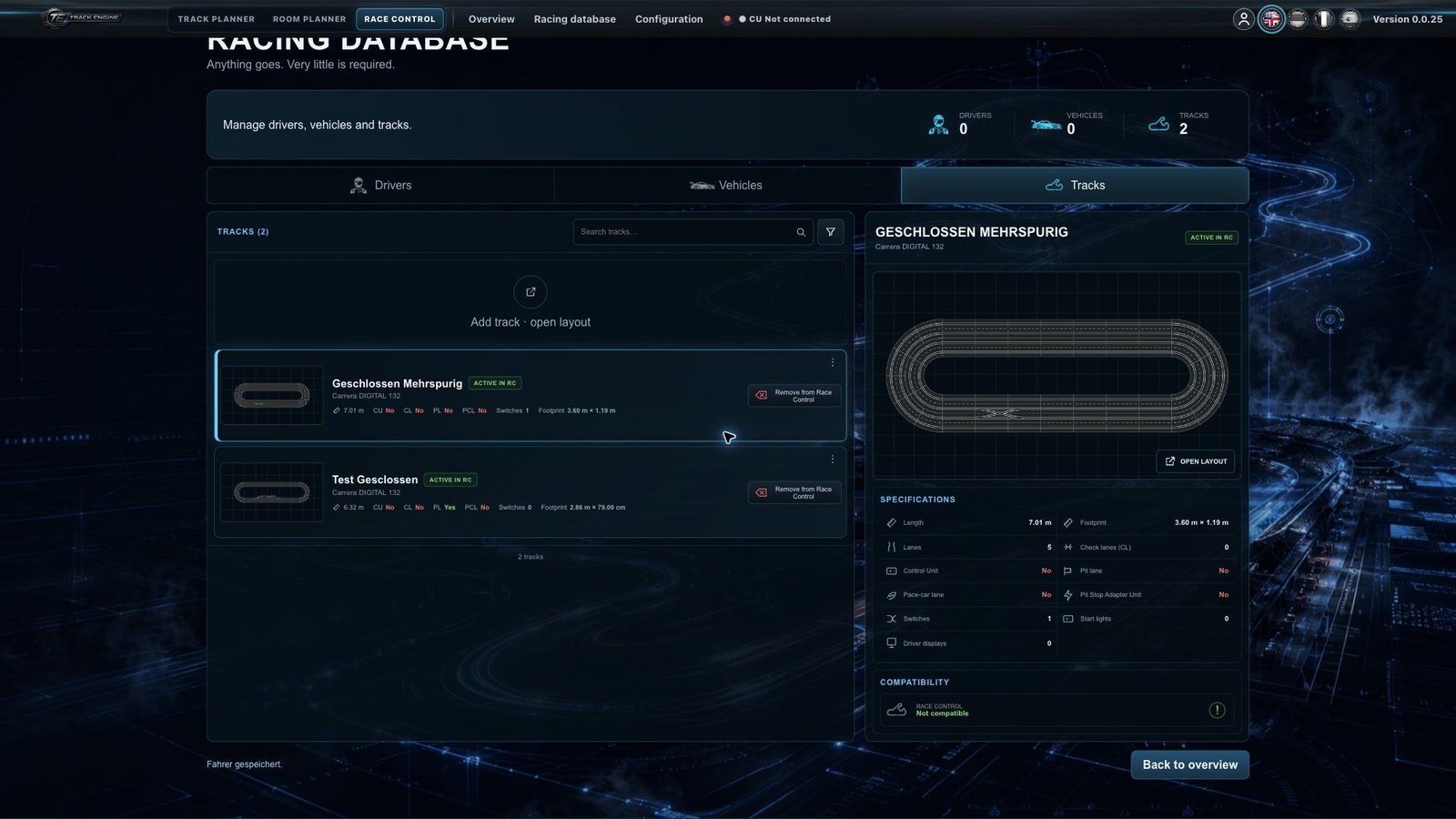
- Open “Race Control” and “Racing database”.
- Choose “Tracks” and “Add track · open layout”. Select your saved own layout from the library.
- Create drivers and vehicles or use existing entries.
- Open “Quick race” and choose this track. Assign each driver a vehicle and the controller actually used.
- Connect the CU and complete the offered track check.
- Choose the race settings and continue to the starting grid.
Preparation is correct when the selected track matches your assembled track, the CU is ready and every required check has passed. A saved layout is not yet a physically verified racing track.
If your track is missing
First look under “Tracks” in the racing database. Save a provider or community layout as your own layout before adding it.
Compare plan and build
The plan shows the components you intended to use. The track check examines the physical setup, including the CU, required Check Lanes and a PSAU for pit functions. Follow the marked position and arrow direction. Track Engine shows you which marked point to drive over. This lets it identify the physical Check Lane or pit component at that position.
The component overview does not replace a test drive. A closed track in the planner does not confirm that the real hardware is ready either.
Start with small steps
A few drivers and a simple race mode are enough for a first race. Drivers, vehicles and controllers explains assignments; Your first quick race takes you through to timing. A Driver Display is an additional display for the driver.
Compare again after rebuilding
Save the changed track and select the matching version in Race Control. A relevant track change requires another check; a previously checked oval does not automatically confirm a new build.
Continue after the race
Look at the official result. Adding a result to driver data is a separate available action. Do not change a track simply to transfer an old record to a new build.
Saving and opening layouts explains how to find drafts again. For races with refuelling stops, see Fuel and PSAU.
Related articles
Was this page helpful?