
Race Control
Refuelling with the PSAU
Recognise valid refuelling and find why the fuel level is not rising.
Prepare refuelling for your race
The PSAU (Pit Stop Adapter Unit) is the Carrera component in the pit lane through which Track Engine recognises refuelling and pit service. Refuelling in Race Control needs a CU, a suitable pit lane and a detected PSAU.
- Compare the selected track with your assembled pit lane.
- Enable Fuel on the CU according to its instructions. Race Control reads the fuel mode from the connected CU.
- Complete the track check and inspect whether the PSAU is detected and refuelling is available.
- Choose the driver, vehicle and controller actually used. Inspect vehicle settings.
- During the race, enter the pits and perform the appropriate refuelling stop according to your Carrera hardware instructions.
A rising fuel level shows refuelling. It decreases while driving. Ending service and driving on ends refuelling.
I am in the pits, but the car will not refuel
First see whether Fuel is enabled and the car and controller match. Then inspect the detected PSAU, displayed pit state and car position according to the hardware instructions.
Passing through is not yet a refuelling stop
Simply driving through the pit lane does not automatically mean valid service was detected. The car must reach the appropriate PSAU/pit state. Observe pit status and fuel level before treating the stop as completed.
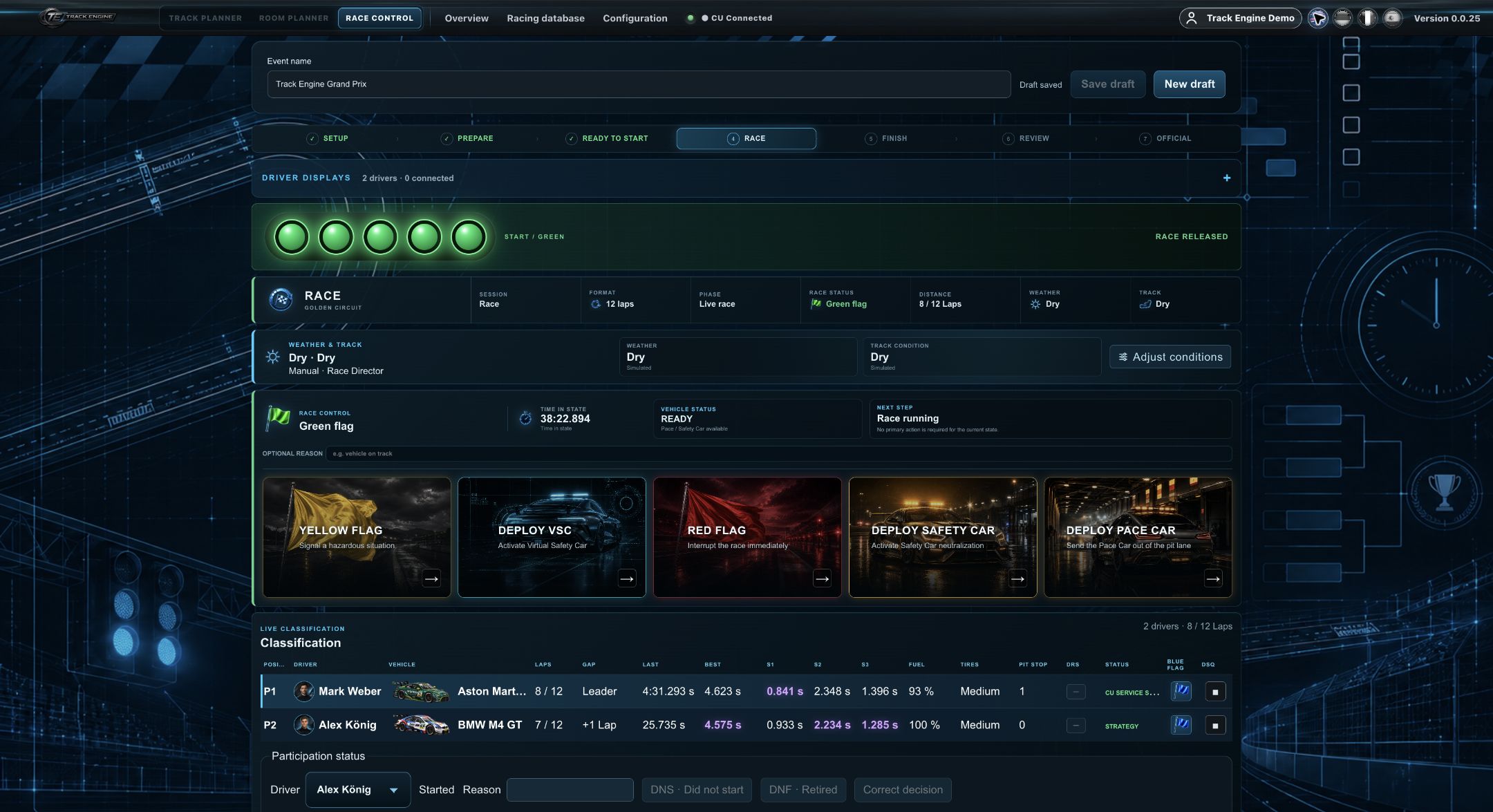
Active pit service: Mark at 93 percent fuel with Race Control Center visible
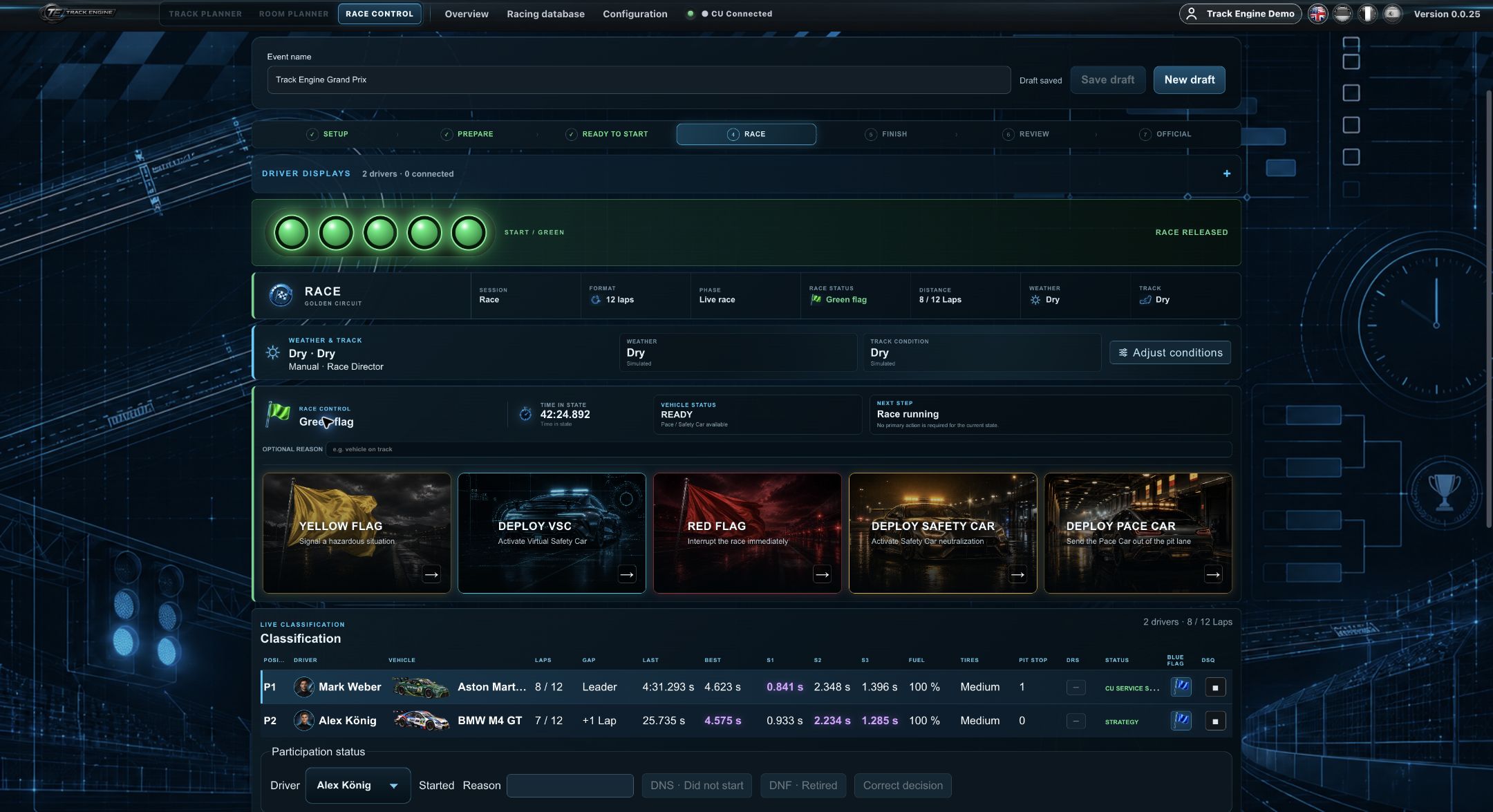
After refuelling: 100 percent fuel and one counted pit stop
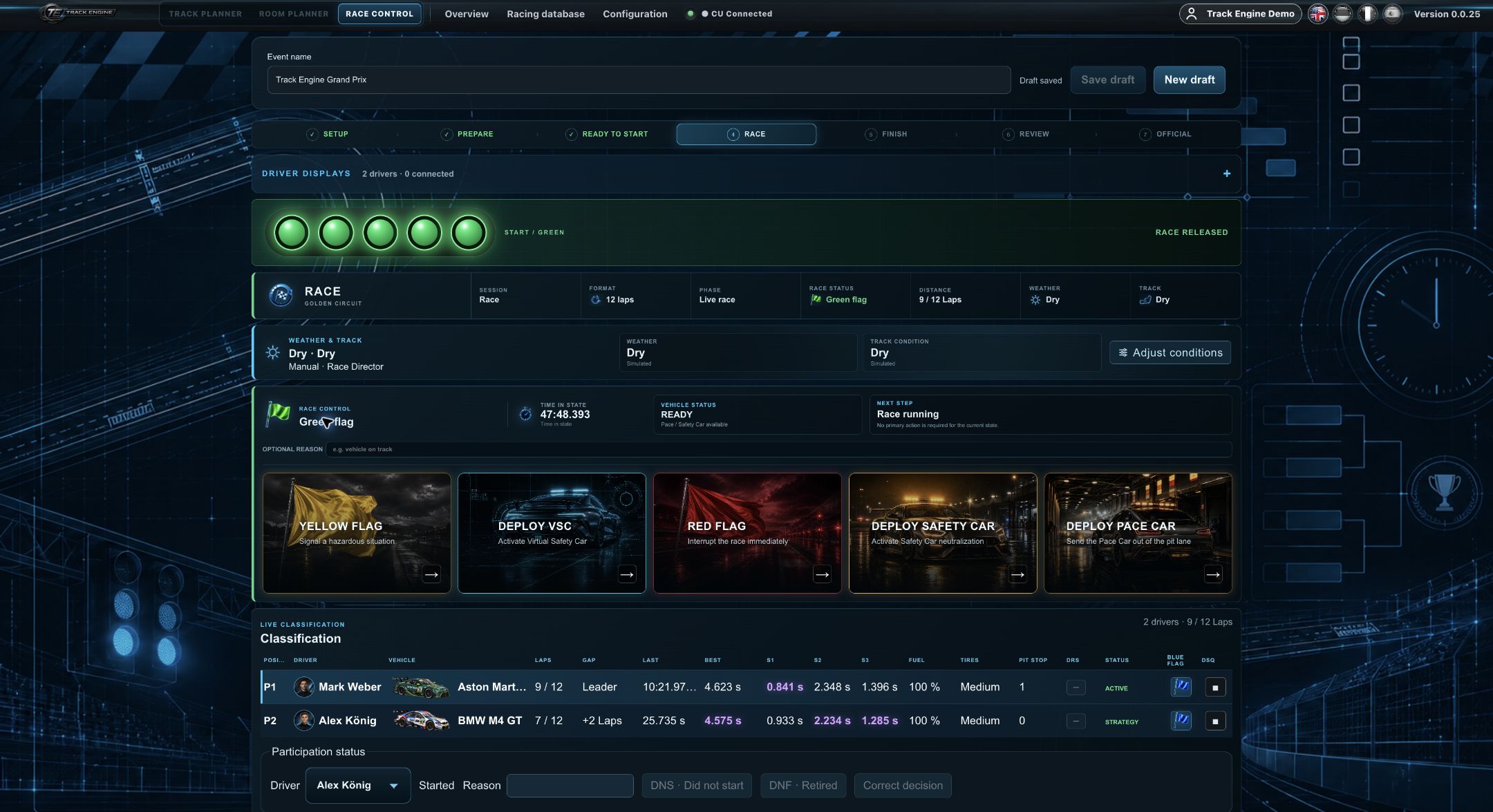
After pit exit: Mark on lap 9 of 12
Separate consumption from refuelling
The CU enables fuel consumption. For refuelling and pit rules, Race Control additionally needs a suitable pit lane and a physically detected PSAU. The displayed Fuel mode and available track functions must match.
A planned PSAU is not automatically a detected PSAU. The Track check shows the current position.
Refuel with Carrera hardware
- Set the CU’s fuel slide switch to ON or REAL. OFF means no fuel consumption.
- Drive the car over the fuel/PSAU sensor in the pit lane.
- Hold the assigned controller’s lane-change button while refuelling.
- End refuelling according to your Carrera hardware’s instructions and continue driving.
A Carrera refuelling action does not automatically satisfy the rules for a valid mandatory pit stop in Track Engine. Also follow the pit rules configured for your race.
Follow pit rules too
Your race may require a minimum stop duration, refuelling or a pit window. A rising fuel level alone does not confirm every requirement for a valid mandatory stop. Additional features explains these rules.
Inspect again after changes
After rebuilding the Pit lane, compare plan and build and repeat the track check. Make sure the required cars can actually reach the PSAU.
The Driver Display mirrors available fuel and pit values. If fuel level stays unchanged, first inspect hardware and detected service before changing race settings.
Was this page helpful?