
Race Control
Your first Quick Race
Connect the CU, verify the real track and start your first race.
Prepare your first physical race
You need a matching assembled track, a CU, drivers, cars and the right controllers. Your entries must exist in the Racing database.
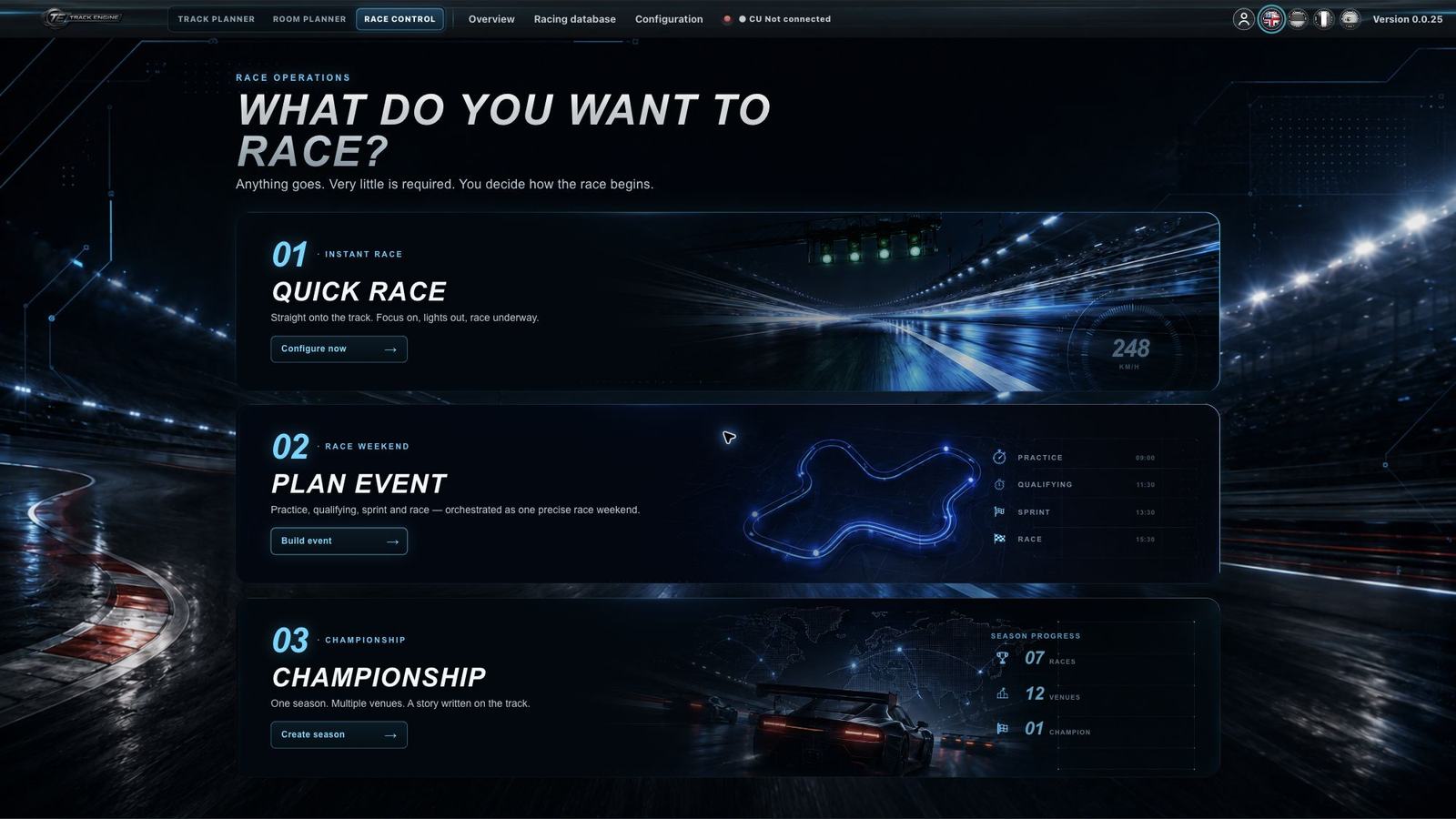
- Open “Race Control” and “Quick race”.
- Open the CU settings, choose “Connect Control Unit” and your CU in the normal device picker. Wait until the CU is ready.
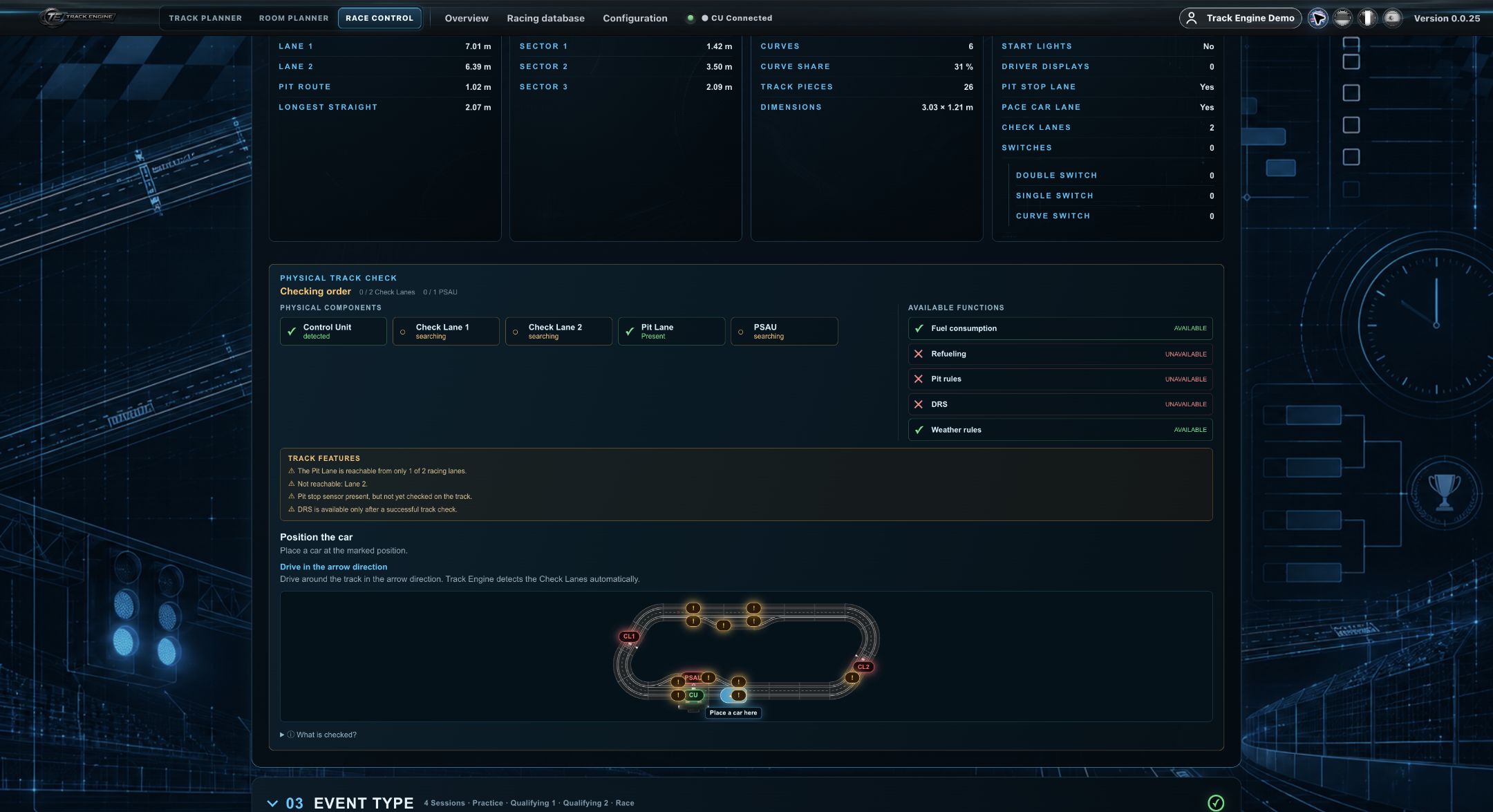
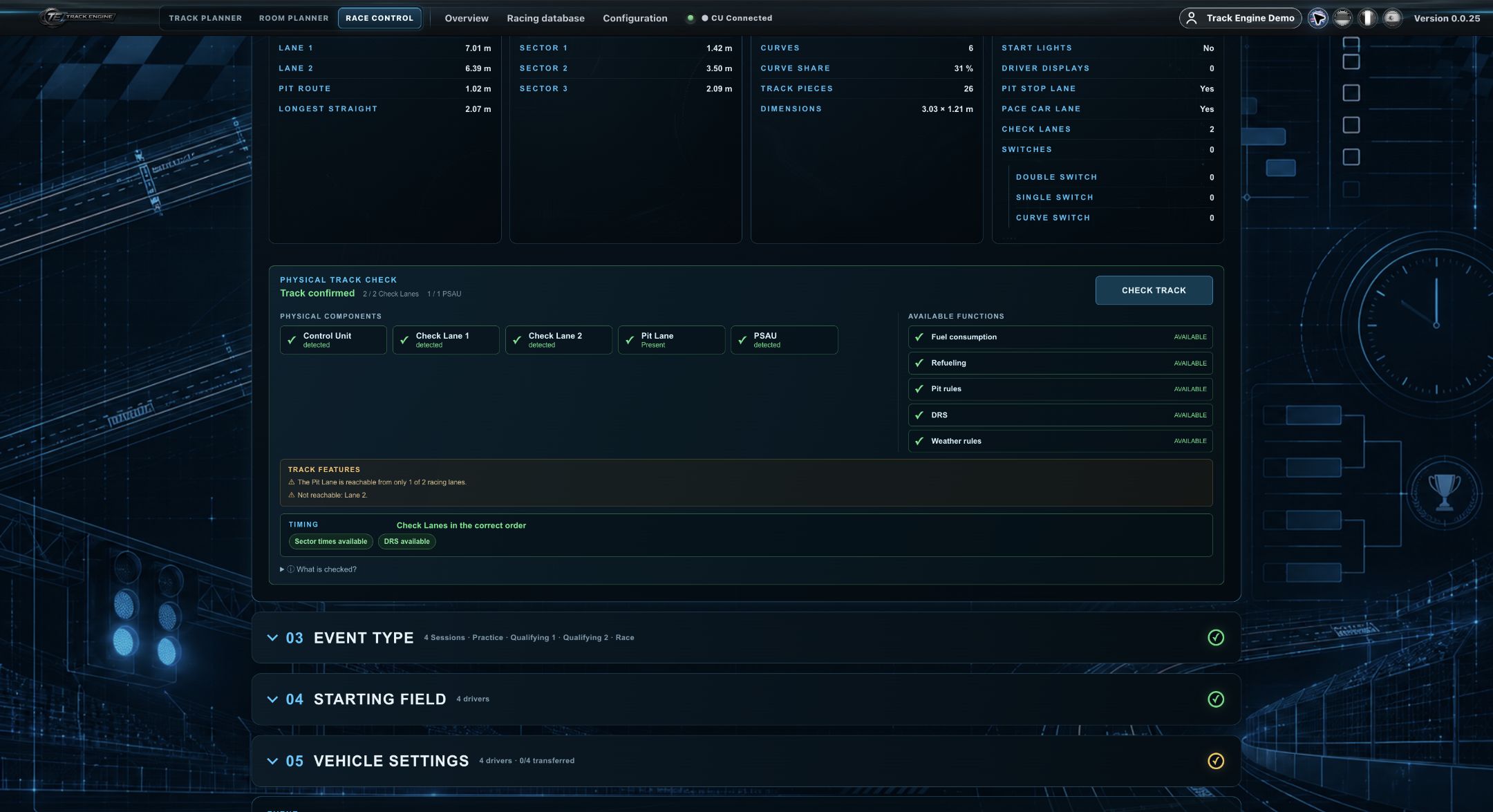
- Under Track, select the track actually assembled. Choose “CHECK TRACK” and follow the position and arrows in the guided check.
- Make sure required Check Lanes and, if needed, the PSAU are detected. Wait for “Track confirmed”.
- Choose race mode and settings. Assign drivers, vehicles and matching controllers in the starting field.
- Inspect vehicle settings. Connect the Driver Display if you want to use it.
- Continue to the starting grid and follow the preparation steps. Prepare the race before triggering the start.
Track Engine shows you which marked point to drive over. This lets it identify the physical Check Lane or pit component at that position.
You are ready only when all required checks and assignments match. A saved layout alone is insufficient.
If starting remains blocked
Read the displayed message. First look at whether the CU is ready and the correct track was checked.
Choose a simple race mode
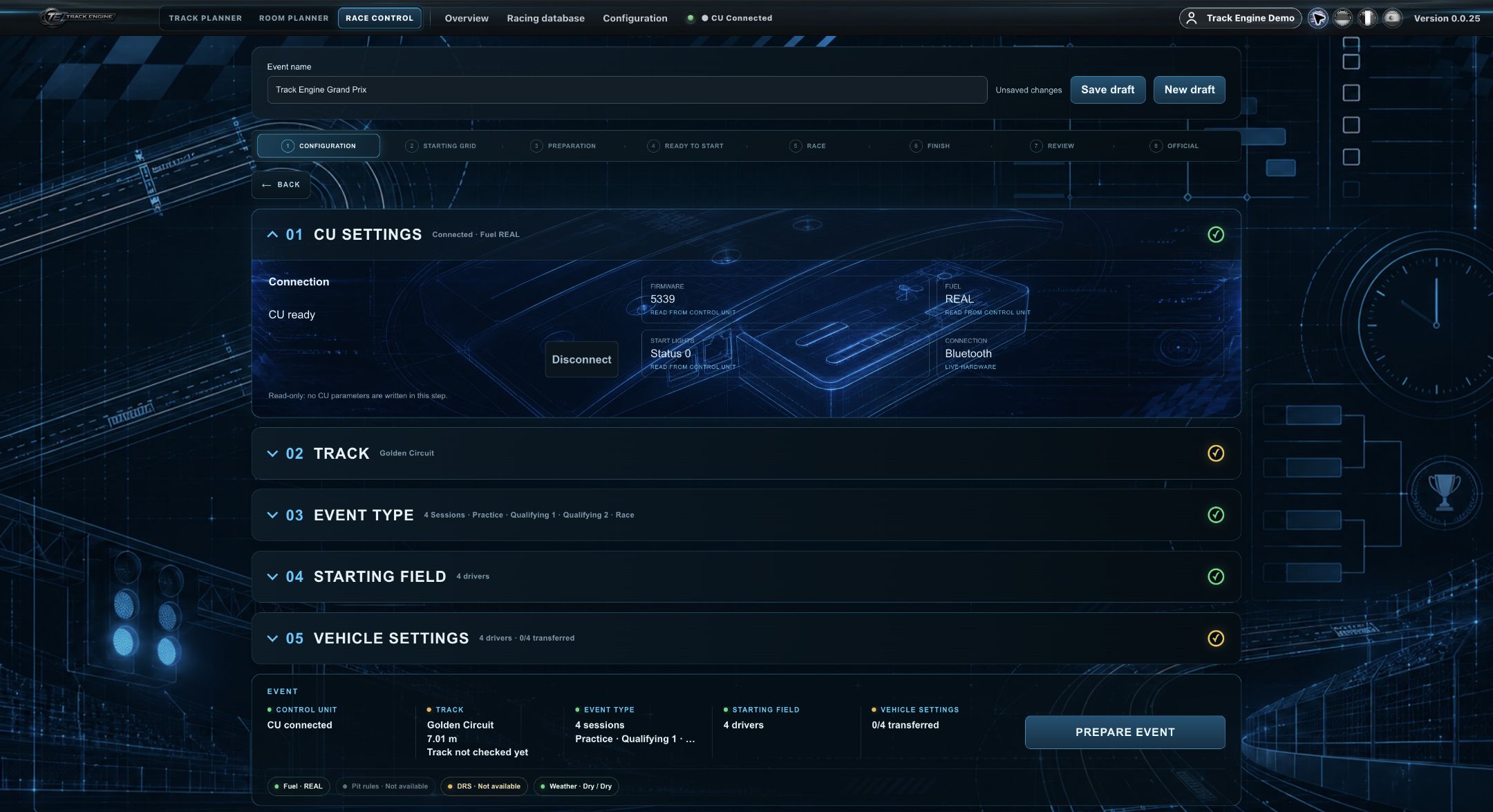
- Laps: Drive until the specified lap count.
- Time: Drive until race time expires; scored laps and when they were completed determine the order.
- Time + Final Lap: After time expires, each car finishes its already started lap. No further scored lap begins.
In timed races, scored laps count first. With equal lap counts, the driver who completed their last scored lap earlier is ahead.
Remember the check, keep hardware ready
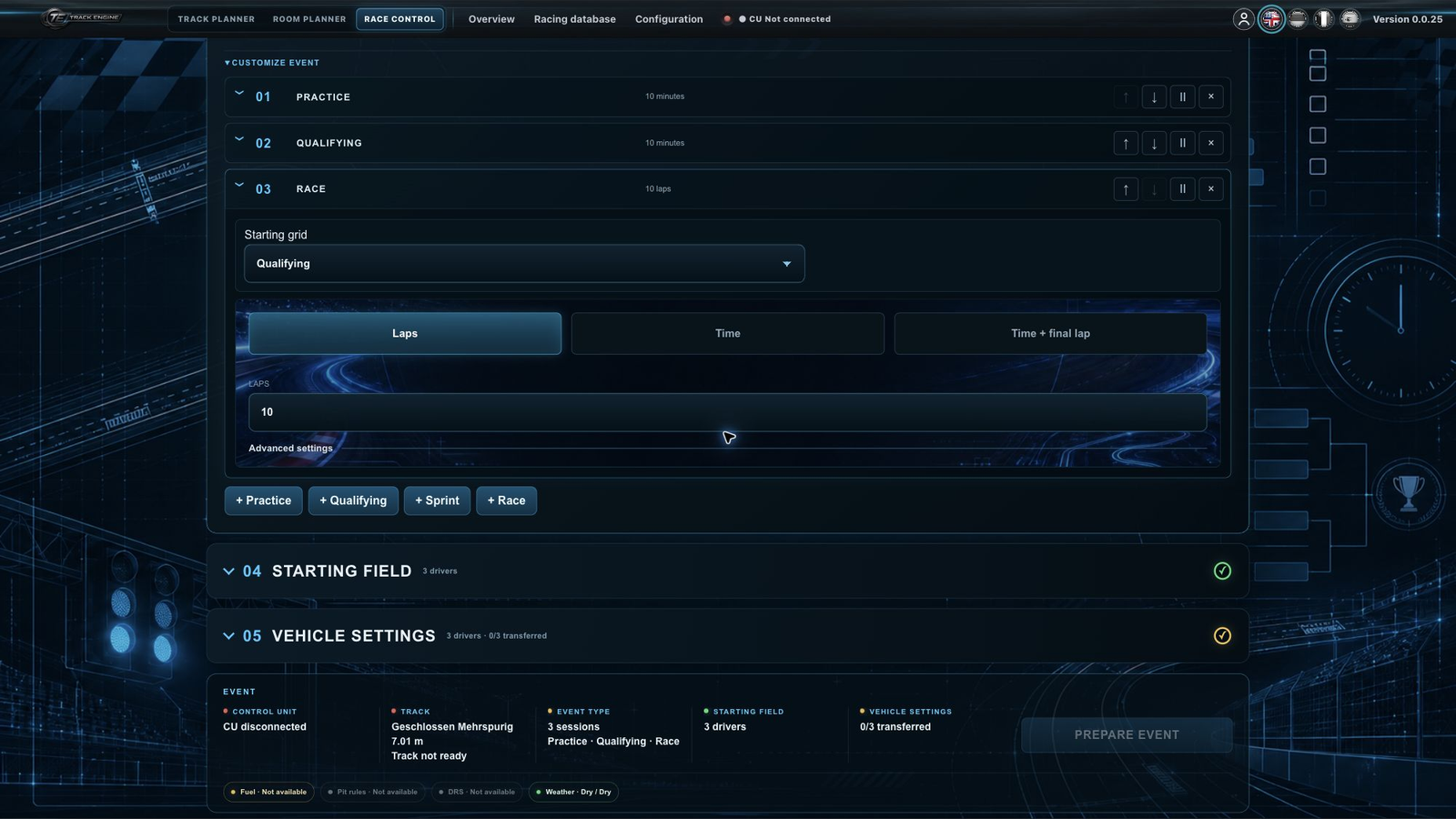
While you use the same unchanged track in the same working session, Track Engine remembers the successful check. Reopening Quick race avoids unnecessary repeated checks. After a normal reload, the check can be restored once the real CU is ready again. A relevant track change requires a new check.
Recognise the start and live timing
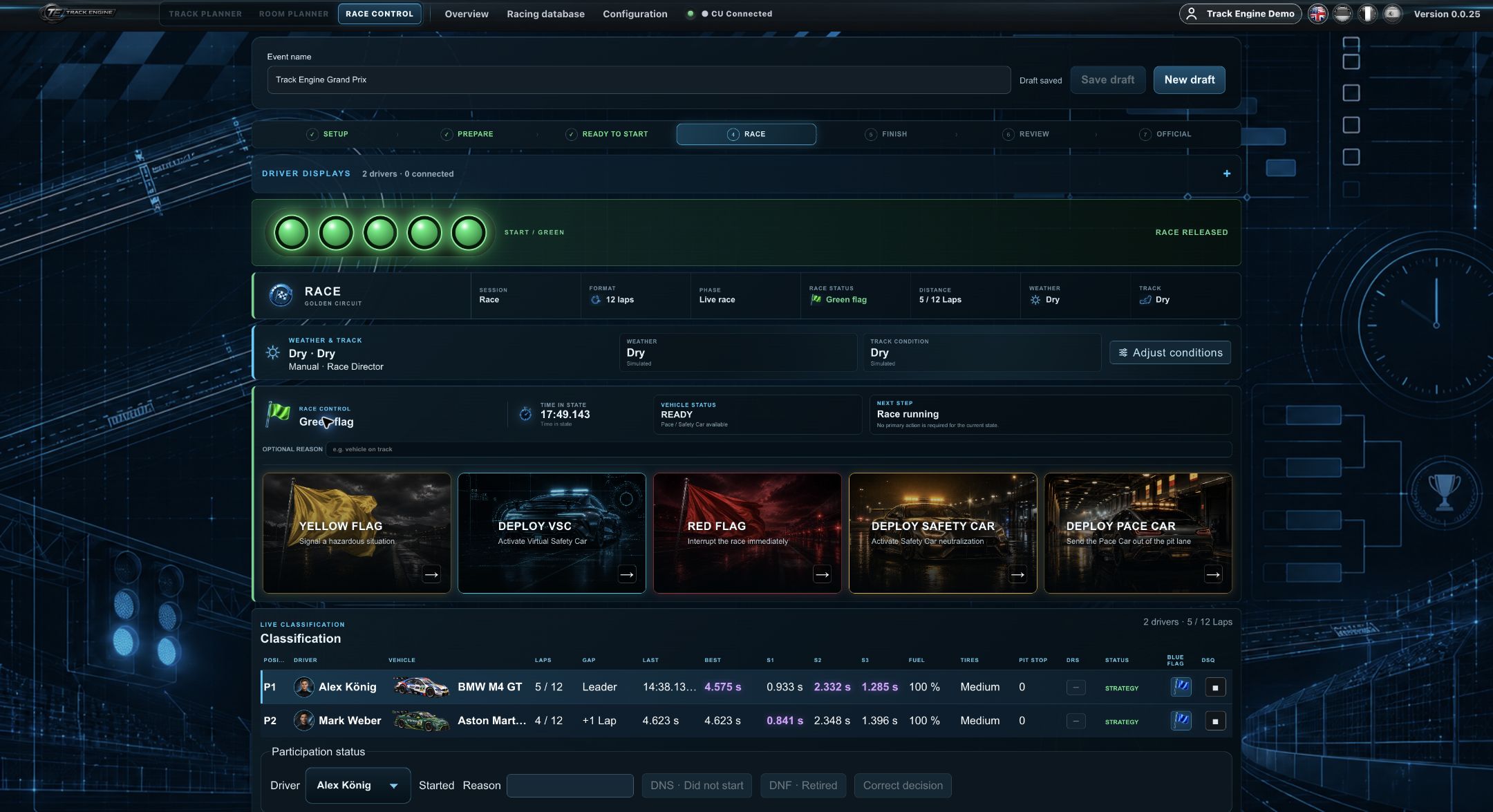
Five red lights show the countdown. The Driver Display mirrors them. The Control Unit decides the actual race release; race timing begins only afterwards.
While driving, you see laps, lap times and positions. Detected Check Lanes add sector times. The Driver Display follows the same race state.
Program Check Lanes as CL1 and CL2
Install the Check Lanes first. Carrera specifies CU firmware version 3.37 or later for this programming.
- Switch the CU off. Hold SPEED and switch the CU on again.
- Release SPEED when the first LED stays lit.
- Press SPEED until the required selection lights up: LEDs 1–3 for CL1/sector time 1, LEDs 1–4 for CL2/sector time 2.
- Push or drive a car over the relevant Check Lane sensor. A tone confirms the setting.
- Repeat the selection and crossing for the other Check Lane. Then press START to leave programming mode.
If you are unsure which Check Lane is CL1 or CL2, deliberately program the relevant sensor again. Track Engine then checks the detected order during guided track verification.
If no lap time appears
- Is the CU connected and ready, or might it have entered standby mode?
- Does the selected track match the assembled track?
- Does the controller match the car’s actual hand controller?
- Does the car drive normally across Start/Finish?
- Are required Check Lanes detected if you expect sector times?
For missing or wrongly assigned times, also compare Drivers and vehicles. After a longer pause, the CU may enter power-saving mode. Reactivate it according to your Carrera system’s instructions, then check that Track Engine shows “CU ready” again.
Check Lanes and pit functions
With two Check Lanes, CL1 must be detected first in the driving direction, then CL2. If they differ, follow the track check’s message. For refuelling stops, the PSAU must be detected and the pit lane reachable; see Fuel and PSAU.
Reopen the official result
After the race, review and confirm the result. A saved official Quick race result can be reopened through “Latest result”. Adding the result to driver data is a separate action.

Was this page helpful?