
Race Control
Connecting your Driver Display
Connect your phone by QR code or link and follow your driver live.
Open your racing display on your phone
The Driver Display shows your own race values on a phone, tablet or another device with a browser. First prepare the race and drivers in Race Control.
- Open the Driver Displays area of the prepared race.
- Find your driver and scan their QR code on your device. Alternatively use “Copy link” and open that link on your device.
- Keep the display page open and maintain the network connection.
- Compare the driver and car shown with your starting grid.
- In Race Control, look at whether your display counts as connected. During the race, the display page shows “Live”.
You are done when the correct driver is connected and the display follows the race. Each driver uses their own link.
If the display does not connect
Start with the current link or QR code for the correct driver. Then inspect the network and open display page; look at the connected display count in Race Control.
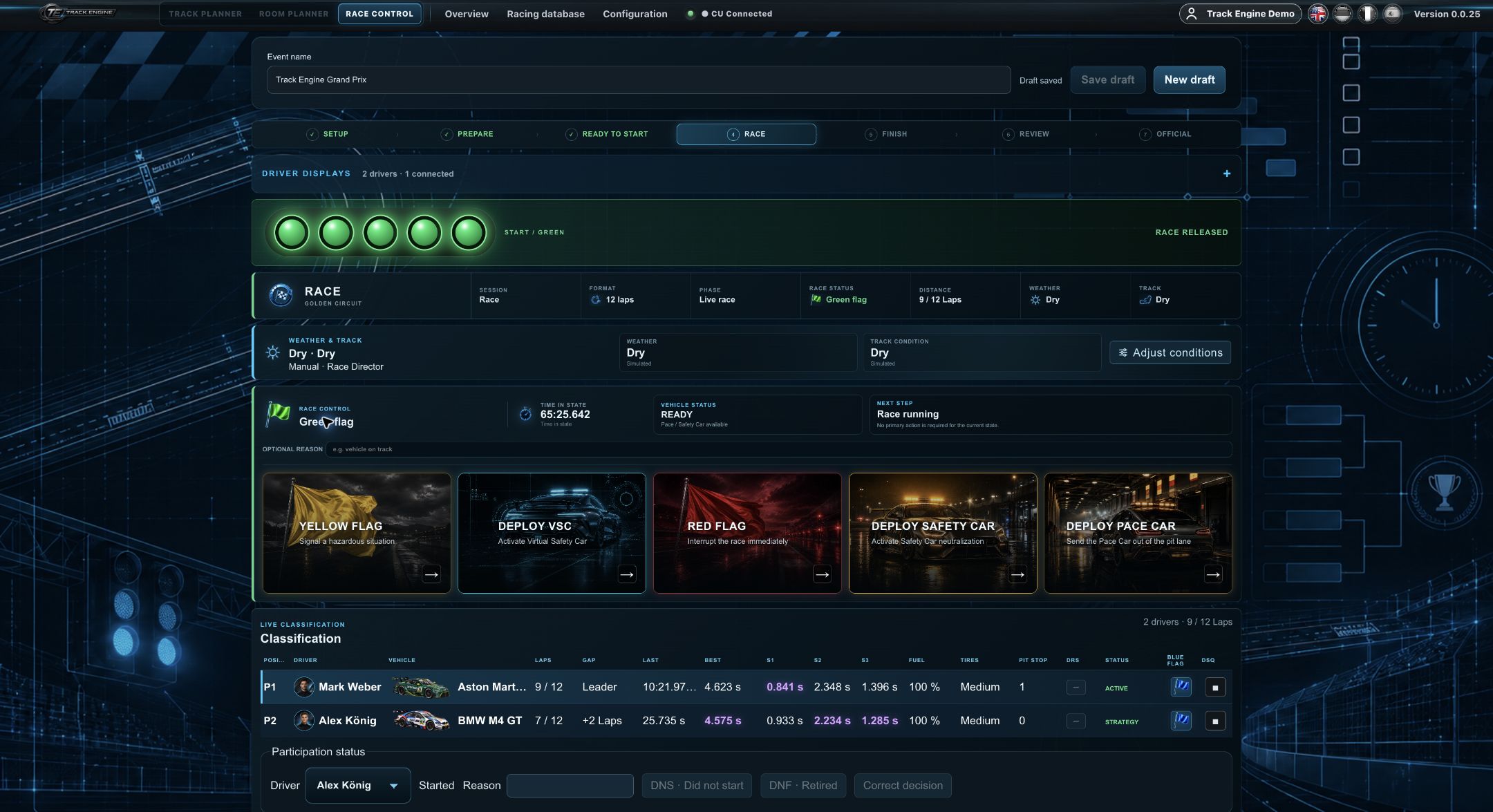
The values you see
You see position, lap, last and best lap time, and gap. Depending on the track and enabled features, sector times, fuel level, tyres, weather or pit information are added. Not every track offers every function.
Follow the start lights
The display mirrors the five red start lights. The CU releases the physical race; the phone does not trigger that release. Your first quick race explains preparation.
Request tyres for the next stop
When tyre functionality is available, you can choose tyres for the next pit stop. The tyres are changed at the next valid pit stop. Until then the current tyres remain active.
Restore an interrupted connection
If the display freezes, see whether the page remains open and the device has network access. Reload the page or reopen the current link if necessary. Afterwards confirm the connected display in Race Control.
If the display says the race is no longer available or has ended, use the new driver link for the next race. Do not keep an old link as permanent access.
The main display still matters
Follow notices and decisions in Race Control too. A connected display replaces neither a ready CU nor the physical track check. For fuel and pit questions, see Fuel and PSAU.
Related articles
Was this page helpful?