
Track Planner
Start Light
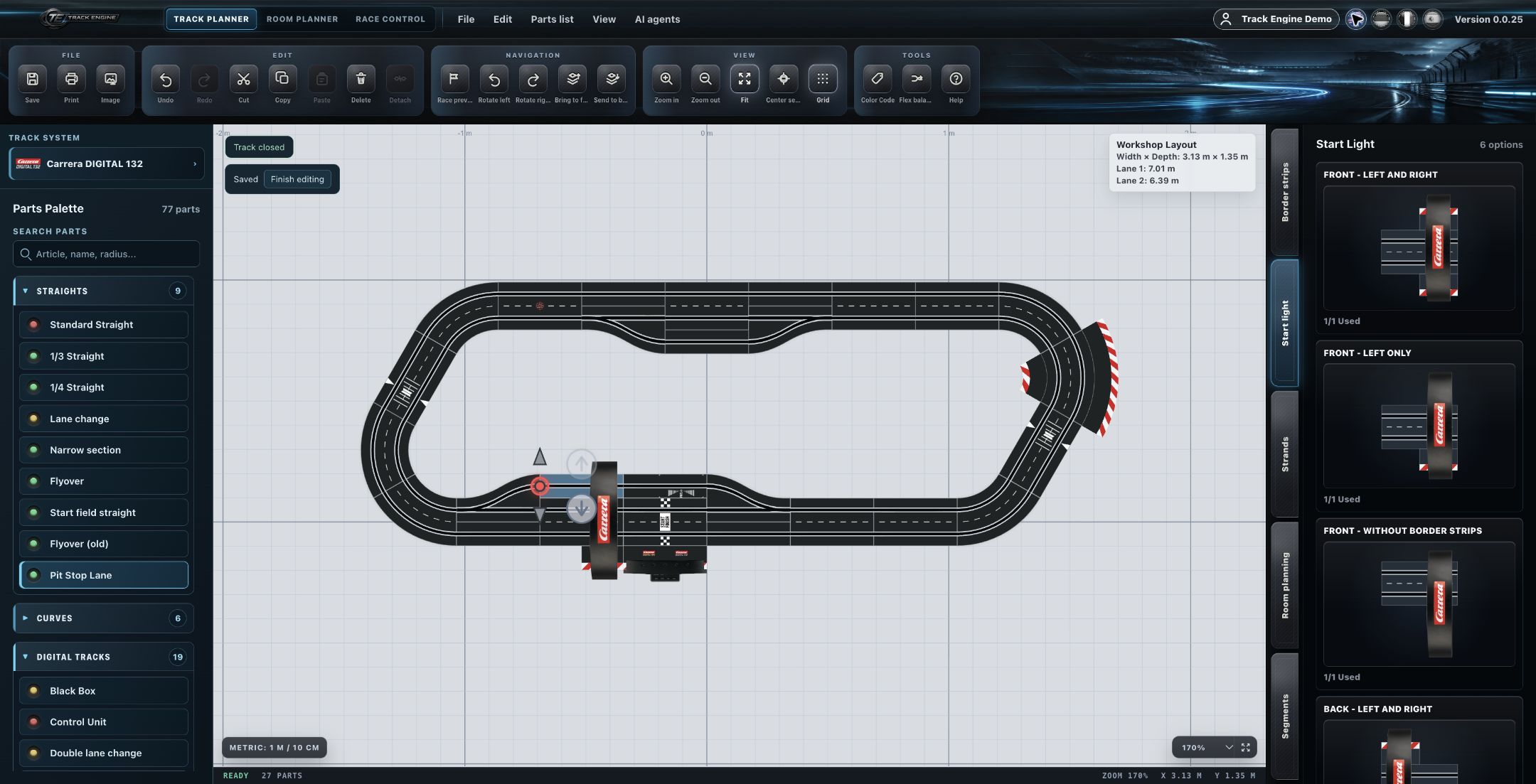
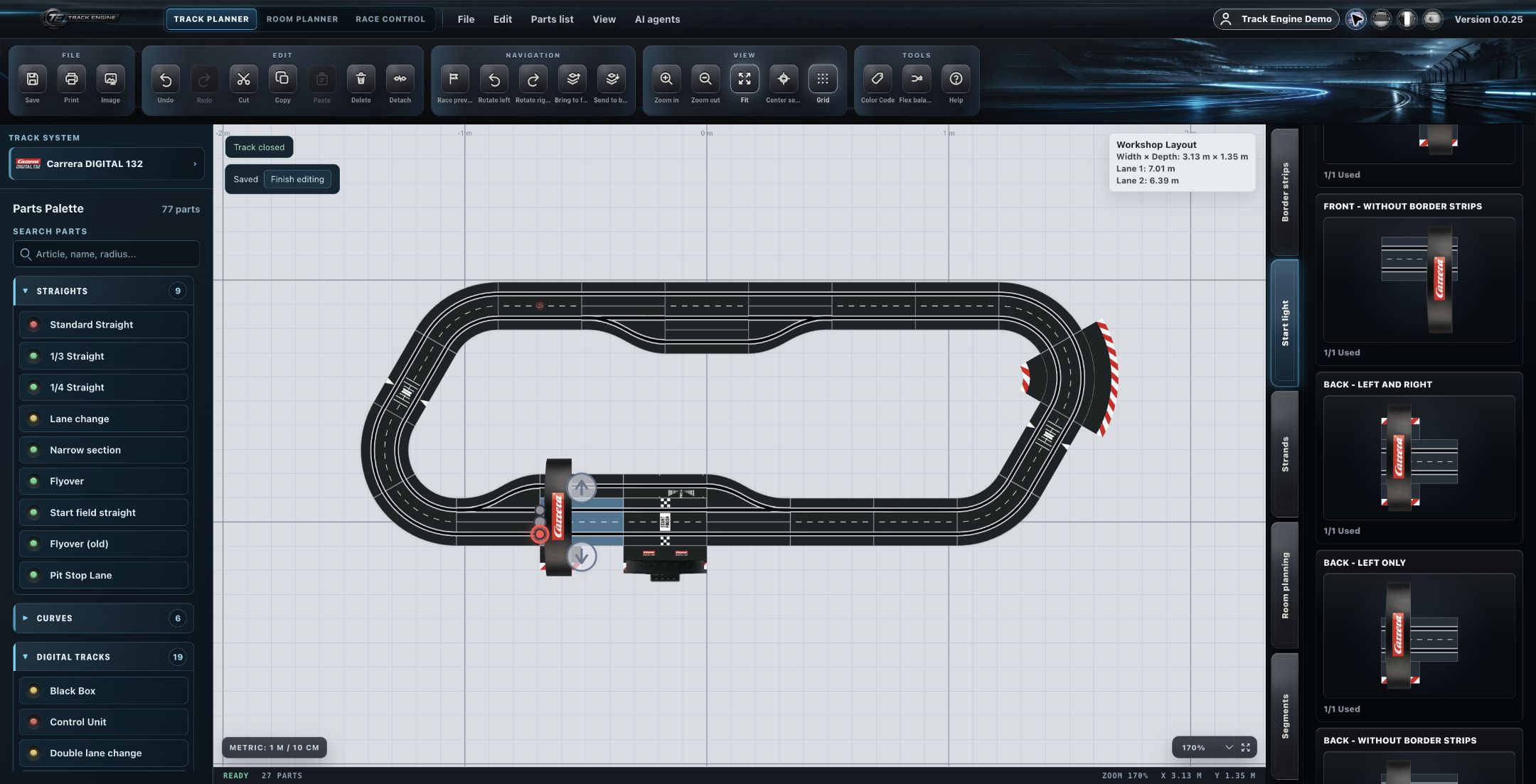
Choose one of six placement variants and add the start light to your layout.
Place the start light in your layout
In Track Planner, choose where the start light and its border strips go.
- Search for “Start Light” in the parts selection.
- Move the pointer over the “Start Light” entry to reveal the placement variants.
- Choose the variant that matches your planned installation.
- Place it in your layout and look at the preview.
The light appears in the intended position with the selected border strips.
If something goes wrong
If the combination looks wrong, first check the selected variant and its orientation in the layout. All six choices are listed under “Deep Dive”.
Six placement variants
Two positions combine with three border-strip options. The labels shown are:
- Front - left and right
- Front - left only
- Front - without border strips
- Back - left and right
- Back - left only
- Back - without border strips
“Left and right” adds border strips on both sides. “Left only” leaves the right side clear. “Without border strips” uses no side border strips. “Front” and “Back” place the light in the front or rear part of the straight; the preview shows the difference.
For example, choose “Back - left only” for the rear position with a border strip only on the left.
Placement and race start are different
This selection changes the placement in your layout. It does not set a countdown or false-start rule, or control the light sequence on a driver display.
For preparing and starting a race, see First quick race. See Driver Display for the display.
Check before building
Compare the variant with your real part and the space beside the track. Pay attention to the installation position after rotating the layout too. See First track for more planning advice.
Related articles
Was this page helpful?