
Room Planner
First Room
Create and save your first room plan in this browser.
Create your first room
Use Room Planner to draw the room where your track will stand. Have its measured width and depth ready.
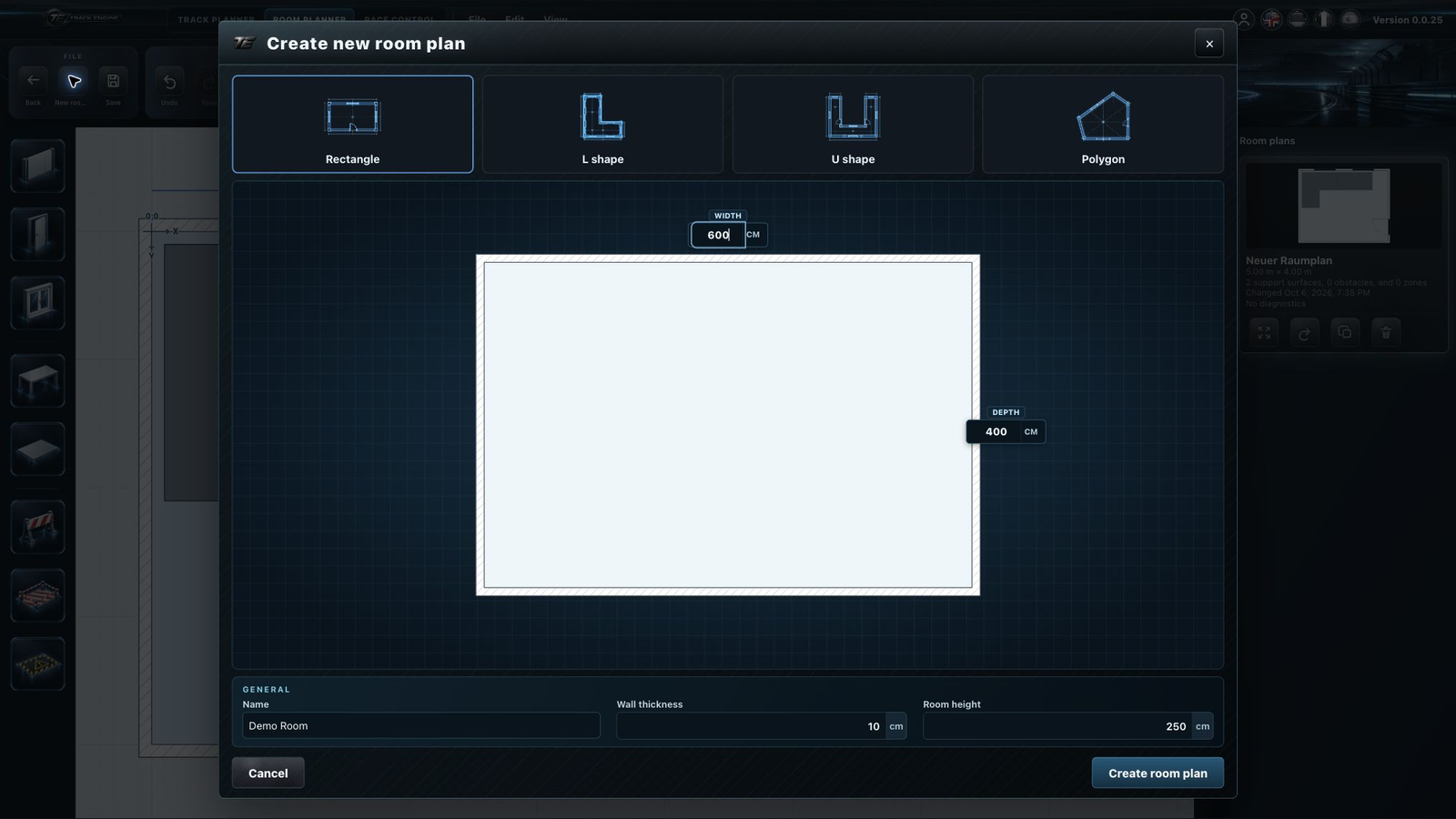
- Open “Room Planner” and select “New room plan”.
- Enter a name, such as “Hobby room”.
- Choose a room shape. Use “Rectangle” for a simple room.
- Enter the dimensions in the units shown. Look at the preview.
- Click “Create room plan”. For “Polygon”, draw the room outline next.
- Once the room is complete, select “Save room plan”.
The room outline appears on the workspace. Find your saved plan under “Room plans”.

New Room
Create here
Important
Your room plans are currently saved in this browser. They do not automatically appear in another browser or on another device.
If something goes wrong
If a dimension is rejected, check its value and the unit shown. If the room is out of view, select “Fit view”.
Choose a room shape
- Rectangle: a room with no recesses.
- L shape: a room with one corner cut away.
- U shape: a room with a recess between two sides.
- Polygon: an outline you draw yourself on the workspace.
For L and U shapes, also enter the recess dimensions. Compare the preview with your room before creating the plan.
Use your room's measurements
For a room measuring 6 × 4 metres, enter 600 × 400 when the fields use centimetres. In imperial mode, lengths are entered in inches. Always check the unit beside the field.
You can also enter wall thickness and room height. Wall thickness changes how the walls are drawn. The room plan is a view from above.
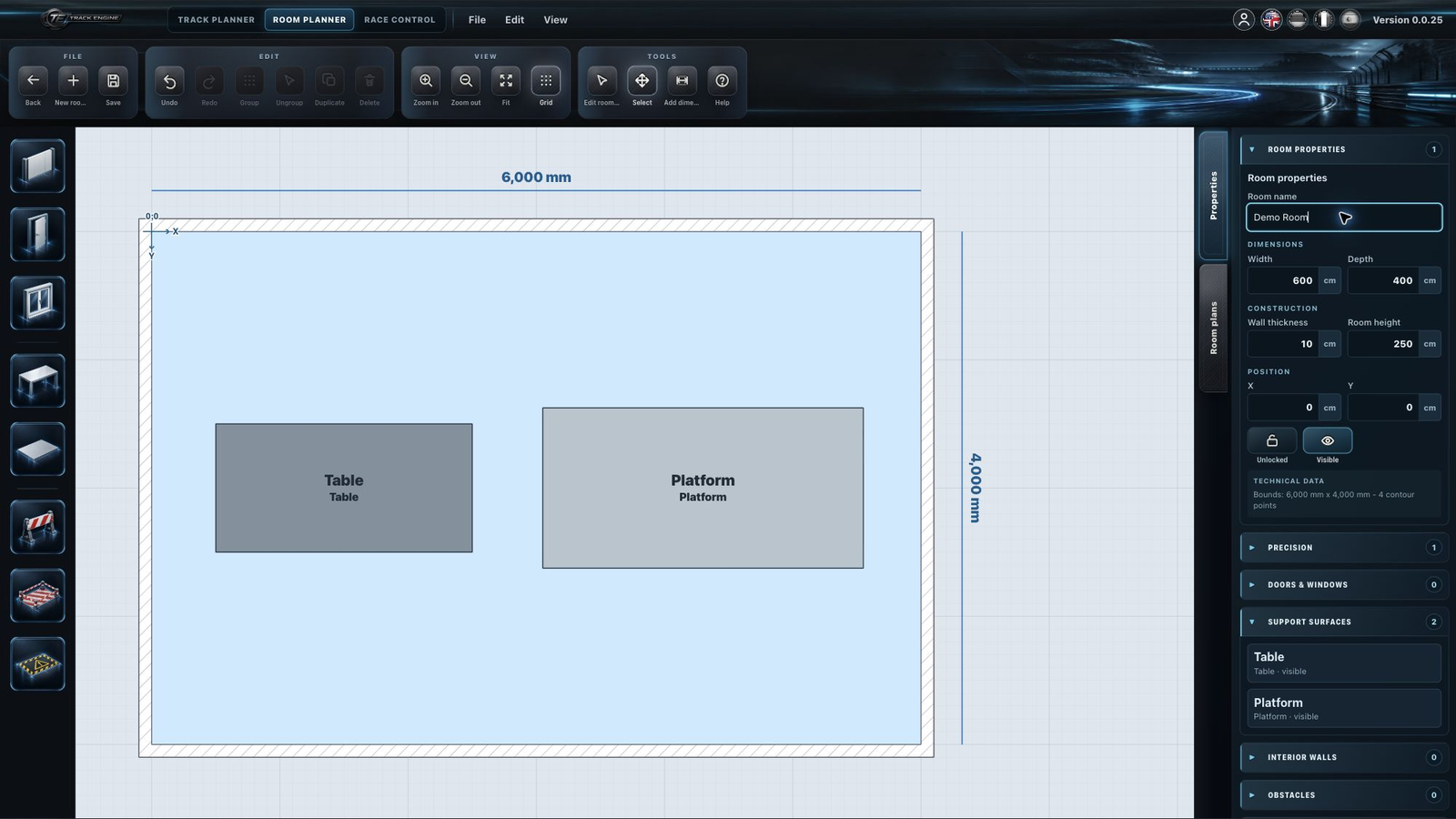
Reopen a saved room
Open “Room plans” and select your saved plan for editing. Save any changes before finishing.
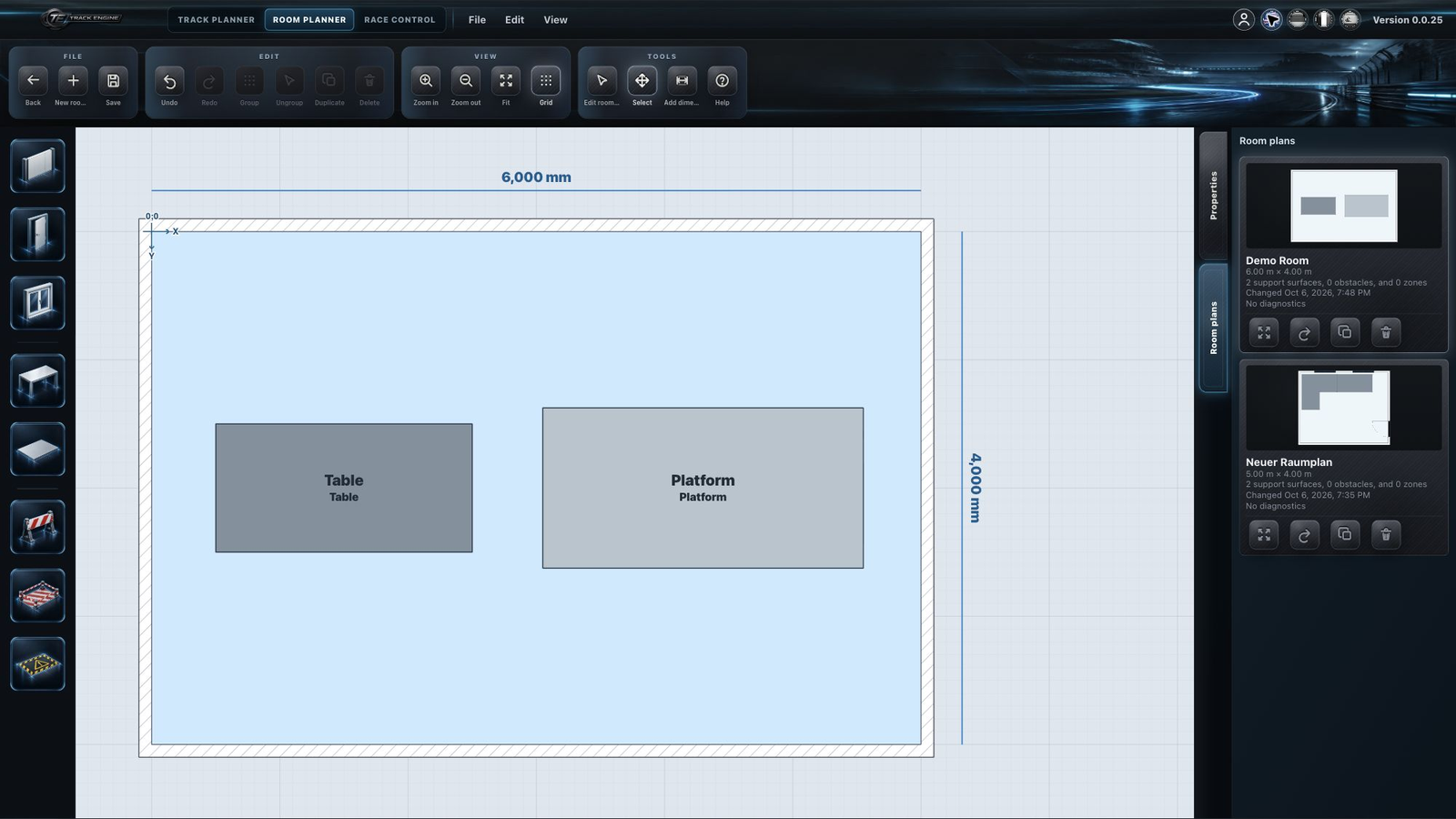
If a room plan is missing
First make sure you are using the same browser on the same device where you saved it. Some browsers offer separate profiles, for example for different people. If you use these, open the profile where you saved the room plan. Another profile, a private window or another device does not automatically receive your plans.
Keep your browser data
Clearing this site's saved browser data can also remove your room plans. A Plus or Pro workspace does not back up these plans.
Use the room when planning your track
Use “Edit room contour” to adjust the outline. Lock objects once positioned so that you do not move them accidentally. Hiding an object does not remove it.
See From room to track to use the room when planning your layout.
Related articles
Was this page helpful?