
Workflows
From Room to Track
How Room Planner and Track Planner work together so you can judge whether a track fits in the available space.
Room Planner and Track Planner belong together
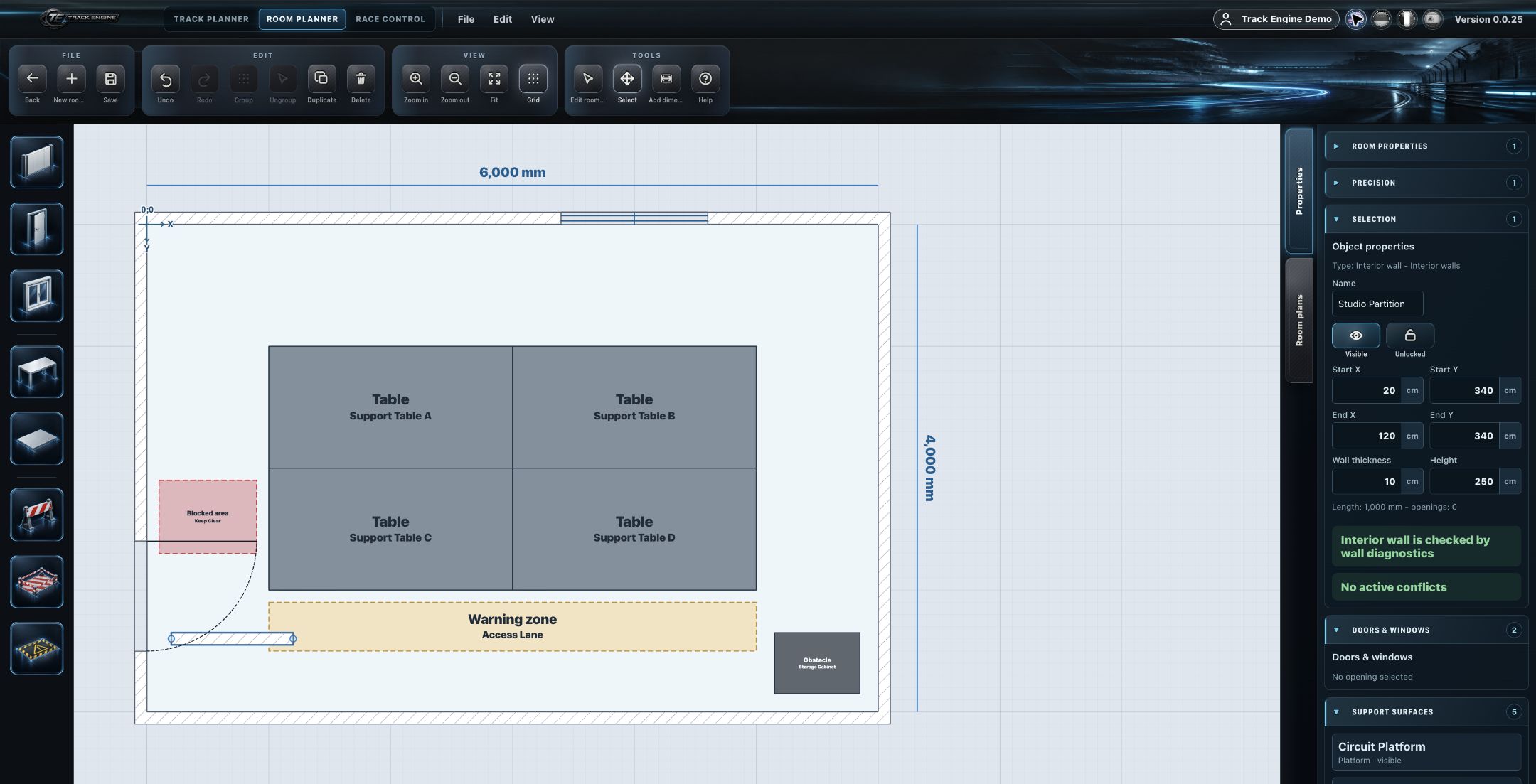
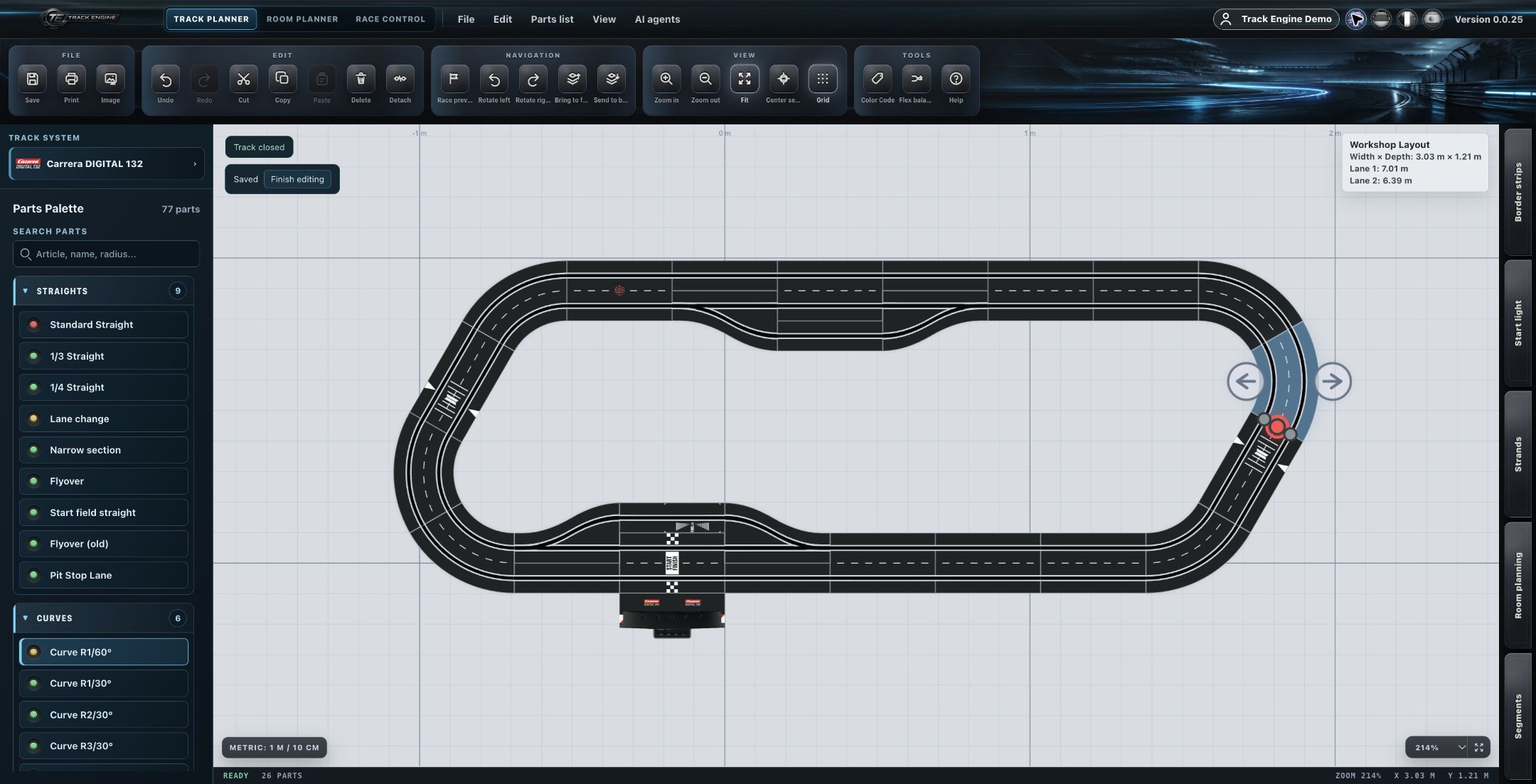
Room Planner represents the physical installation environment. Track Planner designs the actual track from real track parts. The two modules are related but distinct — together, they help you judge whether and how a planned track fits into the available space.
In a few steps
- Create the physical environment in Room Planner.
- Model the relevant dimensions and installation surfaces.
- Create or open the intended track in Track Planner.
- Assess the track in relation to the available room.
- Adjust room or track planning as needed.
Tip
The more accurate your room dimensions, the more realistically you can judge whether your track fits.
Why accurate room dimensions matter
Only with realistic room dimensions can you meaningfully judge whether a planned track actually fits into the available environment.
The role of tables, platforms and blocked areas
Tables, platforms and blocked areas in Room Planner represent which surface is actually usable for the track.
Physical environment vs. track geometry
Room Planner represents the physical environment. The actual track geometry is created in Track Planner — the two concepts stay separate.
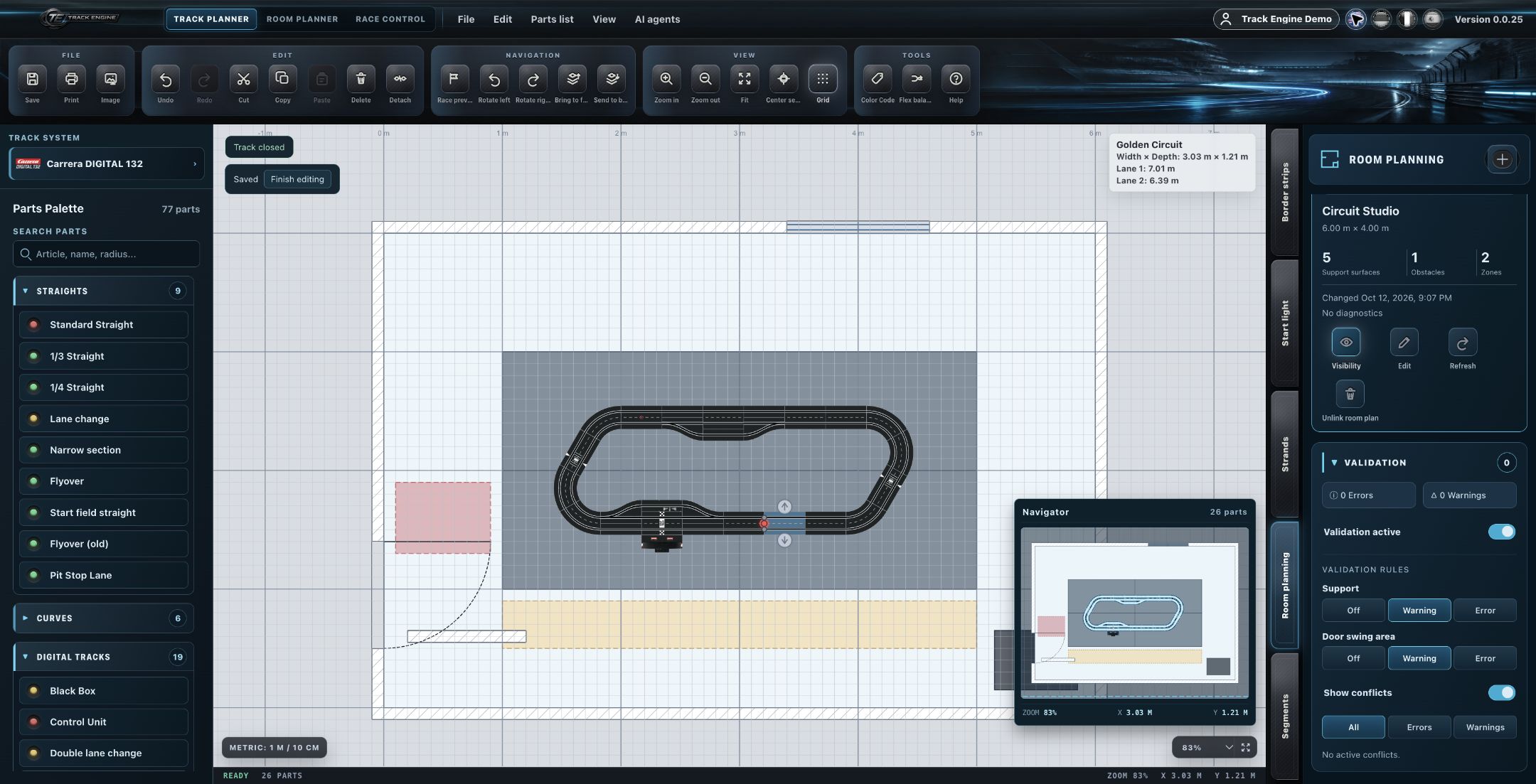
Room Planner provides the spatial context
Room Planner provides the spatial context in which you place your track.
Track Planner remains the authority for track geometry
The actual track geometry is determined exclusively in Track Planner.
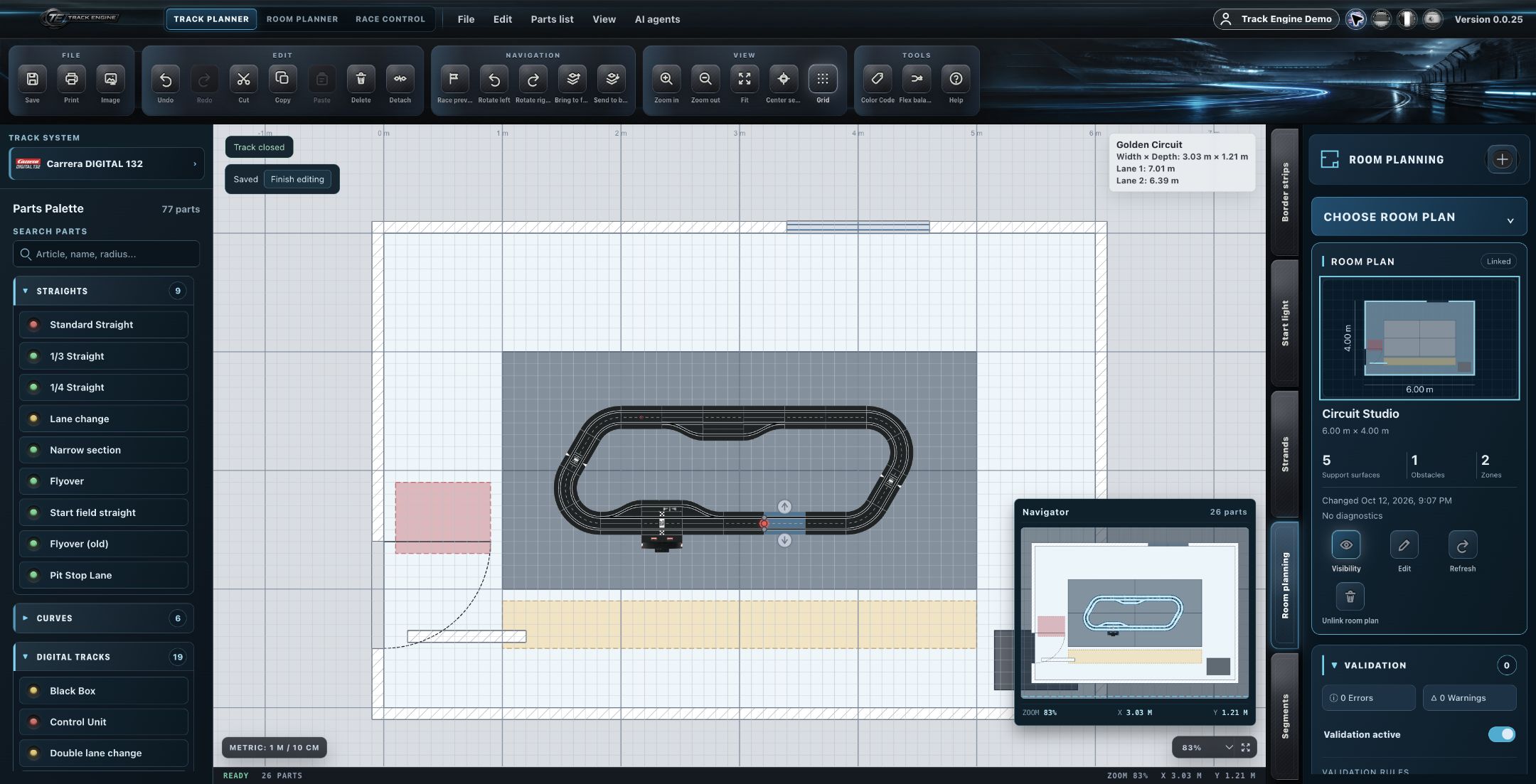
Separate areas
Room geometry and track geometry are separate areas within Track Engine.
Track geometry is never distorted just to fit a room
Track geometry is never arbitrarily distorted just so it fits into a room.
Room planning provides context, not replacement geometry
Physical-space planning provides constraints and context — it doesn't replace the actual track geometry.
Track part dimensions remain authoritative
The dimensions of the track parts remain authoritative in every case.
Technical boundary
An automatic fit check or automatic fit solver between room and track is intentionally not part of this knowledge base.
Related articles
Was this page helpful?