
Community
Publish a layout
Share a complete track and find out which requirement is still missing.
Share your track
You want to offer your own saved layout to other users.
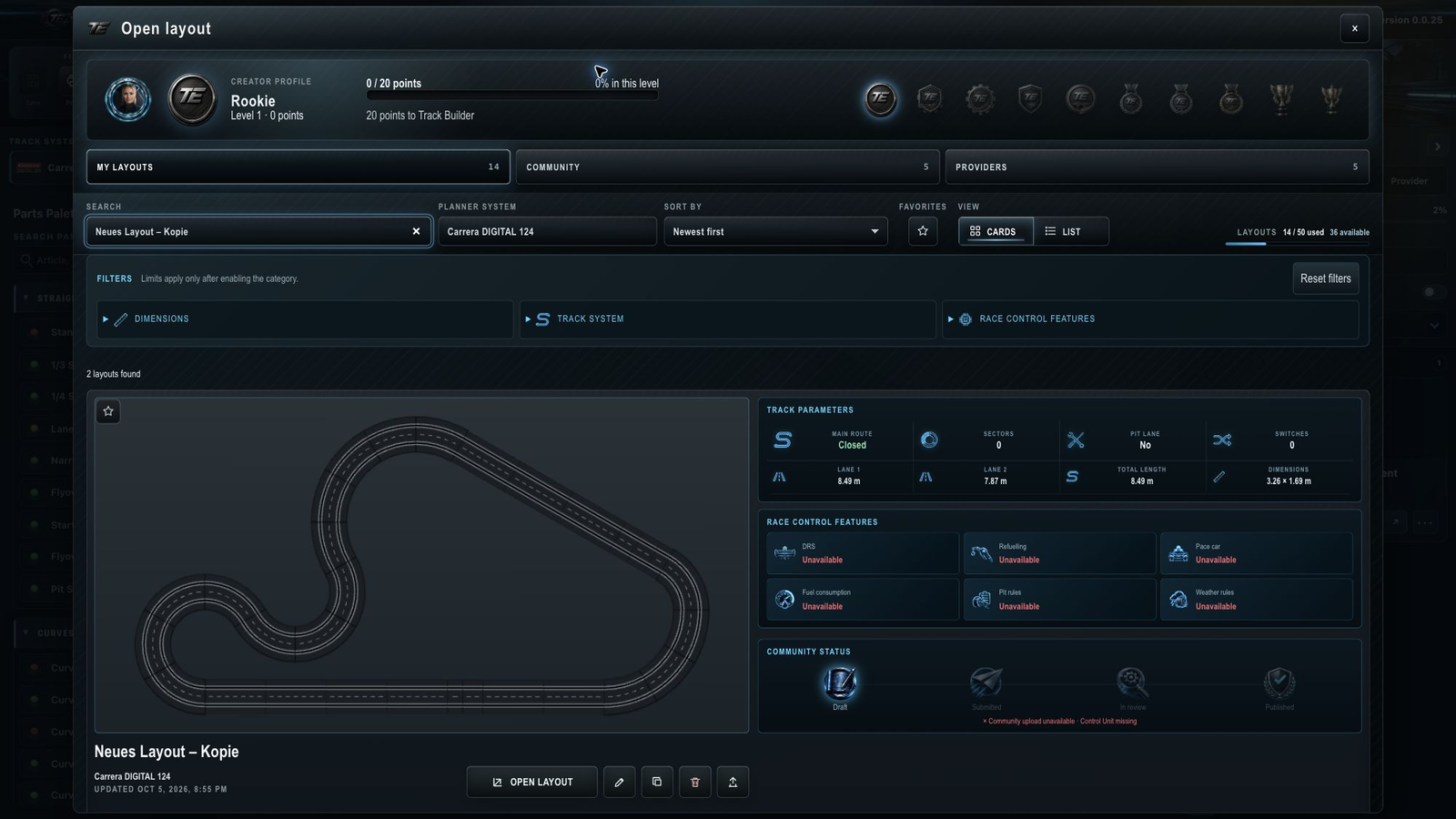
- Open “Open layout” and choose “My layouts”.
- Find your track and read its Community status on the card.
- Resolve any missing requirement shown there.
- Choose the publish icon: the upward arrow.
- Complete the information requested and confirm the submission.
- Read the updated status.
Your submission has arrived when the card confirms it. Other users can see the layout only once its status is “Published”.
I cannot publish
First read the missing requirement on the card. Also check your sign-in and plan: Basic, Plus and Pro include Community access.
What a complete track needs
Carrera Digital 132 and Digital 124: The track must be closed and contain a Control Unit. If the layout contains a PSAU, there must be a drivable route from every normal racing lane into that pit lane.
Carrera Evolution: The track must be closed and contain Connection Track 20515. A Control Unit is not required.
DRS, fuel, pace-car, weather and pit rules are not additional publication requirements.
Understand the status
The card distinguishes Draft, Submitted, In review and Published. A submitted track is reviewed before publication. Until then, it stays under “My layouts”.
For closure, see Close the track.
The track looks closed but is not ready to publish
What matters is “Track closed”, rather than the proximity of the ends or lane colors. With multiple racing lanes, all required connections must close. “Flex compensation available” alone does not confirm closure.
If the PSAU cannot be reached, follow the driving paths from each racing lane to the pit lane. See Plan a pit lane.
Share just a section
A segment is not a complete track. Its publication uses different checks: Reusable track segments. Find your plan under Plan and subscription.
Related articles
Was this page helpful?