
Track Planner
Parts Palette in Track Planner
Find track pieces, choose variants and understand inventory colours.
Find the right track piece
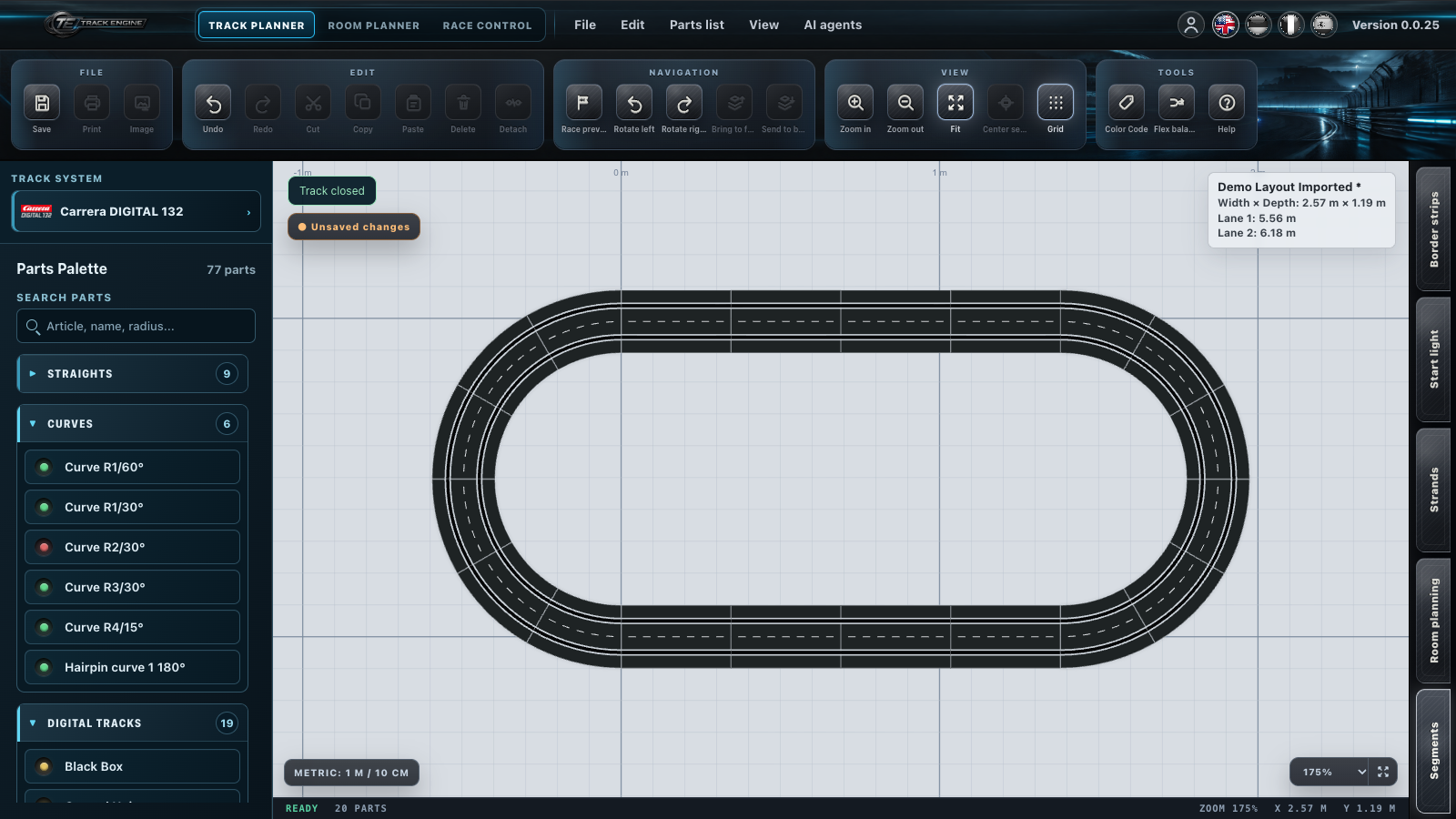
Use “Parts Palette” on the left to choose pieces for your track. The selection belongs to the track system shown above it.
- Choose the appropriate parts category.
- In “Search parts”, enter a name, article number or curve radius.
- Click the piece you want to insert.
- If several variants appear, choose the appropriate direction or entry/exit.
You are done when the chosen piece sits where you intended it to go.
If a piece is missing
First clear the search field. Then look at whether the selected track system and category match the piece.
Choose variants deliberately
For pieces with multiple variants, choices appear on the entry when you move the pointer over it or select it with the keyboard. Compare the preview with your physical piece, for example a left/right variant or entry/exit.
A combined piece can insert several individual rails. This matters for your Parts list, for example with a double lane changer.
What inventory colours mean
If you have entered how many pieces you own, Track Engine shows whether your stock is enough for the layout:
- Green: You have planned fewer pieces than you own; some remain unused.
- Yellow: You have planned exactly as many of this piece as you own; none remain unused.
- Red: You have planned more pieces than you own; your stock is insufficient.
These colours describe your inventory. They do not indicate whether the track is closed.
Plan with your actual stock
Enter the quantities you own. The inventory display cannot tell which rails you physically have. Compare the parts list with your pieces before building.
Continue at the right place
Select the open end where you want to continue before inserting a piece. See Editing pieces and sections for later changes.
If the track remains open, start with Closing the track.
Related articles
Was this page helpful?