
Community
Likes, favorites and copies
Keep a Community track handy or create an editable copy of your own.
Keep or copy a track
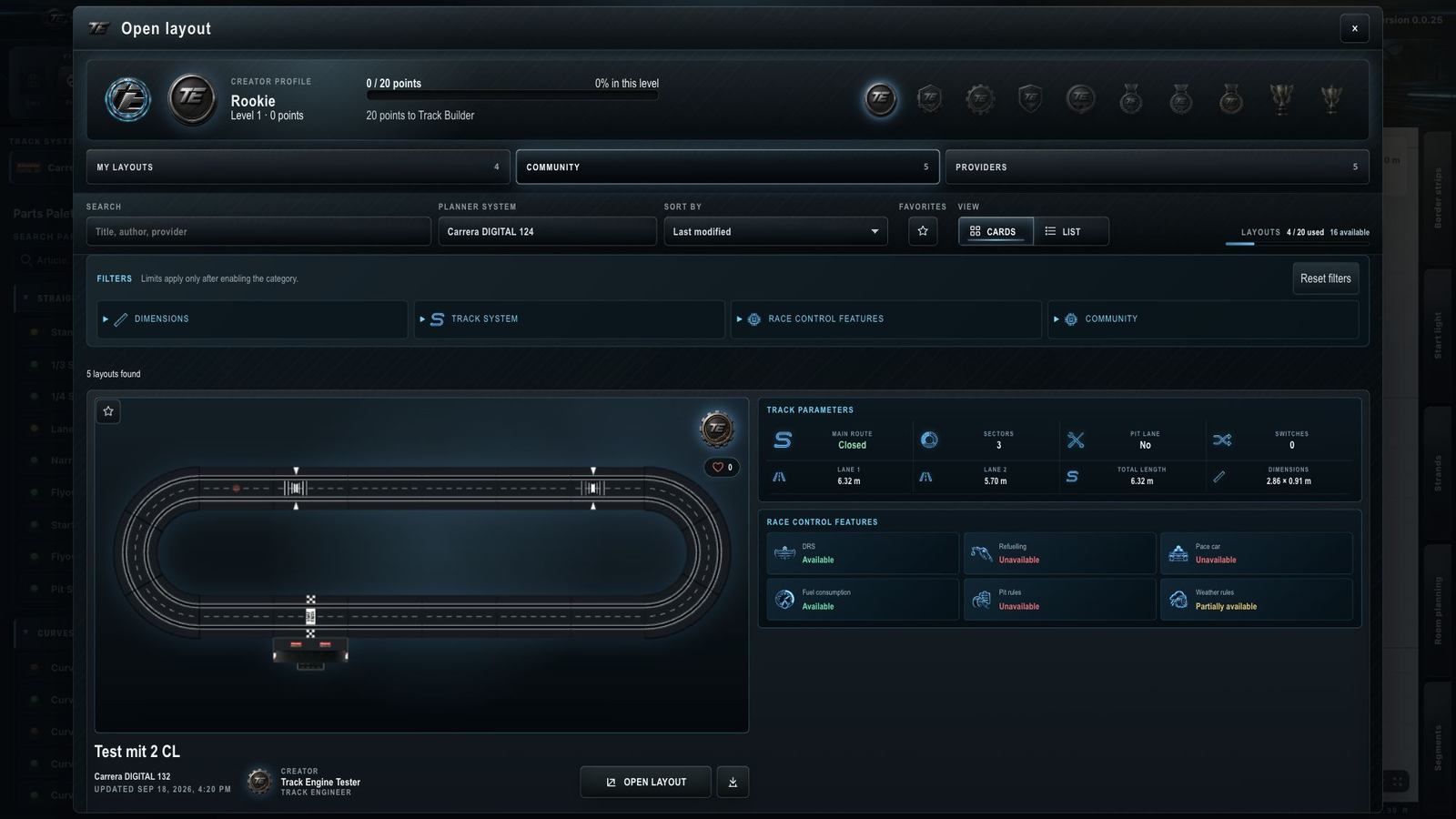
- Open “Open layout”, then “Community”.
- Find the card you want.
- Use the heart to give a Like. Use the star to mark the layout as a favorite.
- To edit it, choose the “Copy to my layouts” action on the card.
The copy is ready when it appears under “My layouts”.
I cannot copy a layout
First check that you are signed in and have space for another saved layout. My account shows your usage.
Likes and favorites are different
A Like tells others that you like the track. The heart counter shows the number of Likes.
A favorite helps you find the track again. Use the star above the list to show only your favorites. Marking a favorite does not create a copy.
What a copy changes
The copy belongs to your own saved layouts and counts towards their limit. You can open and develop it. The published original remains unchanged.
Work on your copy
Under “My layouts”, use the offered rename, duplicate or delete actions. Save your changes before ending editing: Save and open layouts.
To share your changed track, follow Publish a layout. A Like or favorite does not publish your copy.
Related articles
Was this page helpful?