
CARRERA DIGITAL HARDWARE
Carrera Adapter Unit: connecting Driver Display, Position Tower and Startlight
The Carrera Adapter Unit integrates Driver Display, Position Tower and Startlight into the track. Connections, installation direction and which components fit together.
Carrera DIGITAL 124/132 Adapter Unit (20030360) · ~5 min read · Updated: 13 October 2026
The Adapter Unit may be unobtrusive, but without it you cannot connect Driver Display, Position Tower or Startlight to a track.
This article explains its connections and what to check during installation.
Compatibility
- Carrera DIGITAL 132
- Yes – the Carrera manual applies together to DIGITAL 124/132.
- Carrera DIGITAL 124
- Yes – the Carrera manual applies together to DIGITAL 124/132.
- Carrera Evolution
- No. Carrera Evolution is a separate analog system. Carrera explicitly warns against using DIGITAL 124/132 components on an Evolution track. Track Engine currently supports only track planning for Evolution.
What is the Adapter Unit?
The Adapter Unit connects Driver Display, Position Tower and Startlight to the track. It offers 2 connection points on each side. It is as long as a standard straight. The separate package contains 1 Adapter Unit and 4 track section locking clips.
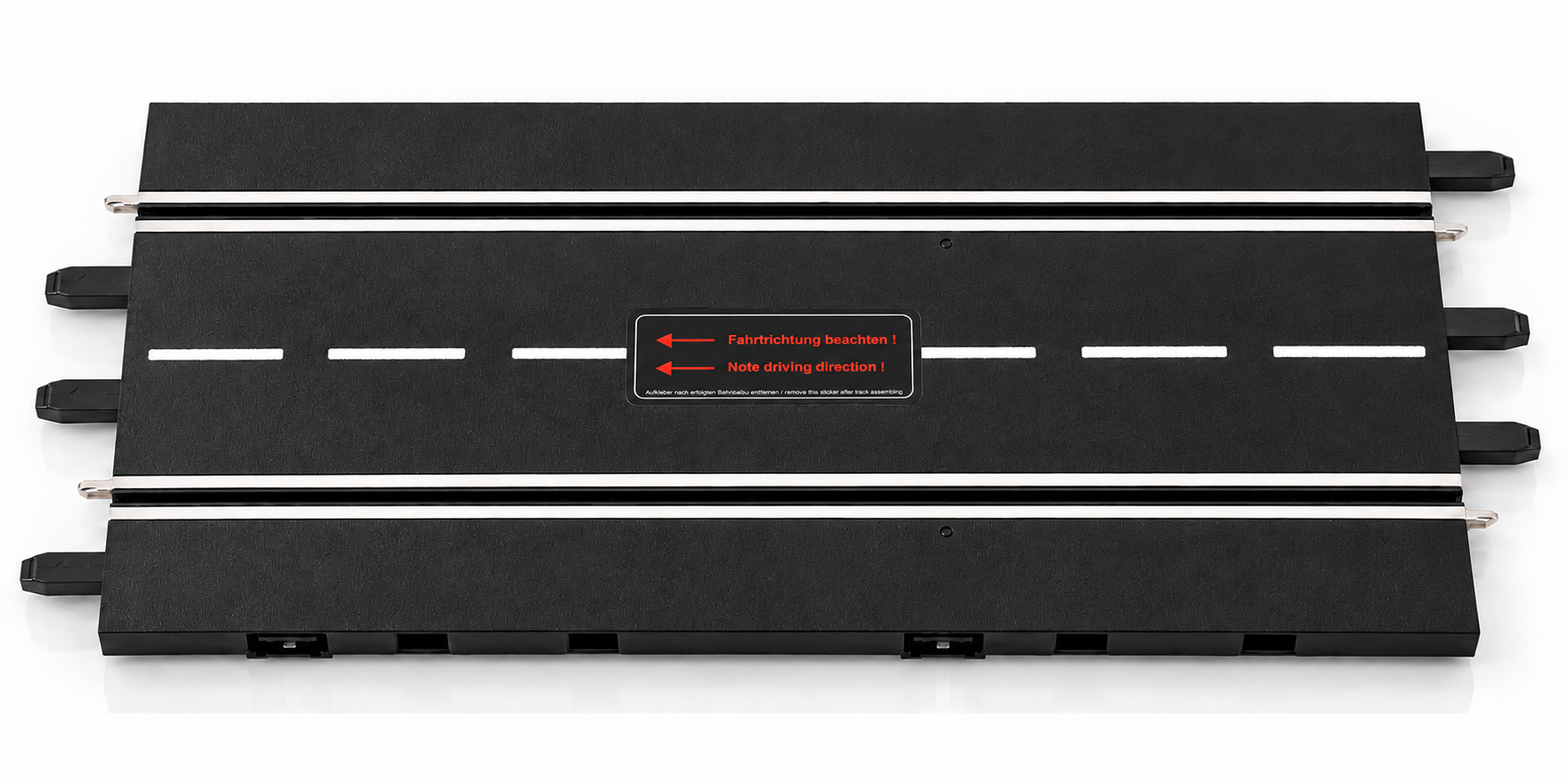
How to install the Adapter Unit
Install Adapter Unit
- Install the Adapter Unit anywhere on the track.
- Note the direction of installation.
- Connect the desired devices to the sockets on the front or rear.
With Startlight
When used with the Startlight, one connection on the front and one on the back remain free.
Photo to follow: Devices on the Adapter Unit. An authentic image will be added.
Interaction with other Carrera components
- Driver Display, Position Tower and Startlight connect to the Adapter Unit.
- Control Unit: The full range of functions is only guaranteed in conjunction with the Control Unit.
Using it with Track Engine
This section explains what the hardware enables in Track Engine and which tasks remain on Carrera hardware.
Adapter Unit and Track Engine
Track Engine does not list the Adapter Unit as a requirement for its hardware-dependent functions or identify it as a separate component during the track test. The Control Unit, Check Lanes and, where applicable, a PSAU are relevant for that test.
Common problems
A connected display or Startlight stays dark.
- Cause:
- The Control Unit is in power-saving mode or the device is not sitting properly on the Adapter Unit.
- Solution:
- Turn the CU off and back on for 2–3 seconds and check the seat of the device. Note the installation direction of the Adapter Unit.
Not all devices are connectable.
- Cause:
- Each side has 2 connections; using a Startlight leaves fewer available for other devices.
- Solution:
- Distribute the display devices across multiple Adapter Units. Driver Display, Position Tower and Startlight each come with one.
Frequently asked questions
How many connections does the Adapter Unit have?
There are 2 connection points on each side: front and rear.
What devices do I connect?
Driver Display, Position Tower and Startlight.
What is its length?
It is as long as a standard straight track section.
Does the Adapter Unit work with Evolution?
No. It belongs to Carrera DIGITAL 124/132. Evolution is a separate analog system.
Related articles
Continue with Track Engine
Track Engine connects Carrera DIGITAL 132/124 to live timing, Race Control, strategy and analysis.
Sources
Carrera hardware details are based on Carrera's German instruction manuals:
- Carrera DIGITAL 124/132 Adapter Unit 20030360 – Assembly and operating instructions
- Carrera DIGITAL 124/132 Driver Display 20030353 – Assembly and operating instructions
- Carrera DIGITAL 124/132 Position Tower 20030357 – Assembly and operating instructions
- Carrera DIGITAL 124/132 Startlight 20030354 – Assembly and operating instructions
Track Engine is an independent third-party product and is not affiliated with, authorized, sponsored or endorsed by Carrera.
Carrera and the product names mentioned are trademarks or product names of their respective owners. They are used here only to describe the products.
Was this article helpful?