
Track Planner
Color Coding
How to make lanes and track parts visually distinguishable using Color Coding.
Navigation & Display~4 min read
Turning Color Coding on and off
- Turn on Color Coding in the Track Planner.
- Use it to visually tell lanes or track parts apart.
- Turn it off again when you don't need it.

Color Coding
Activate here
The purpose of Color Coding
Color Coding is for visual differentiation and orientation — for example, telling lanes or specific track parts apart more quickly in your layout.
Examples
Color-coded lanes and track parts, in a layout context.
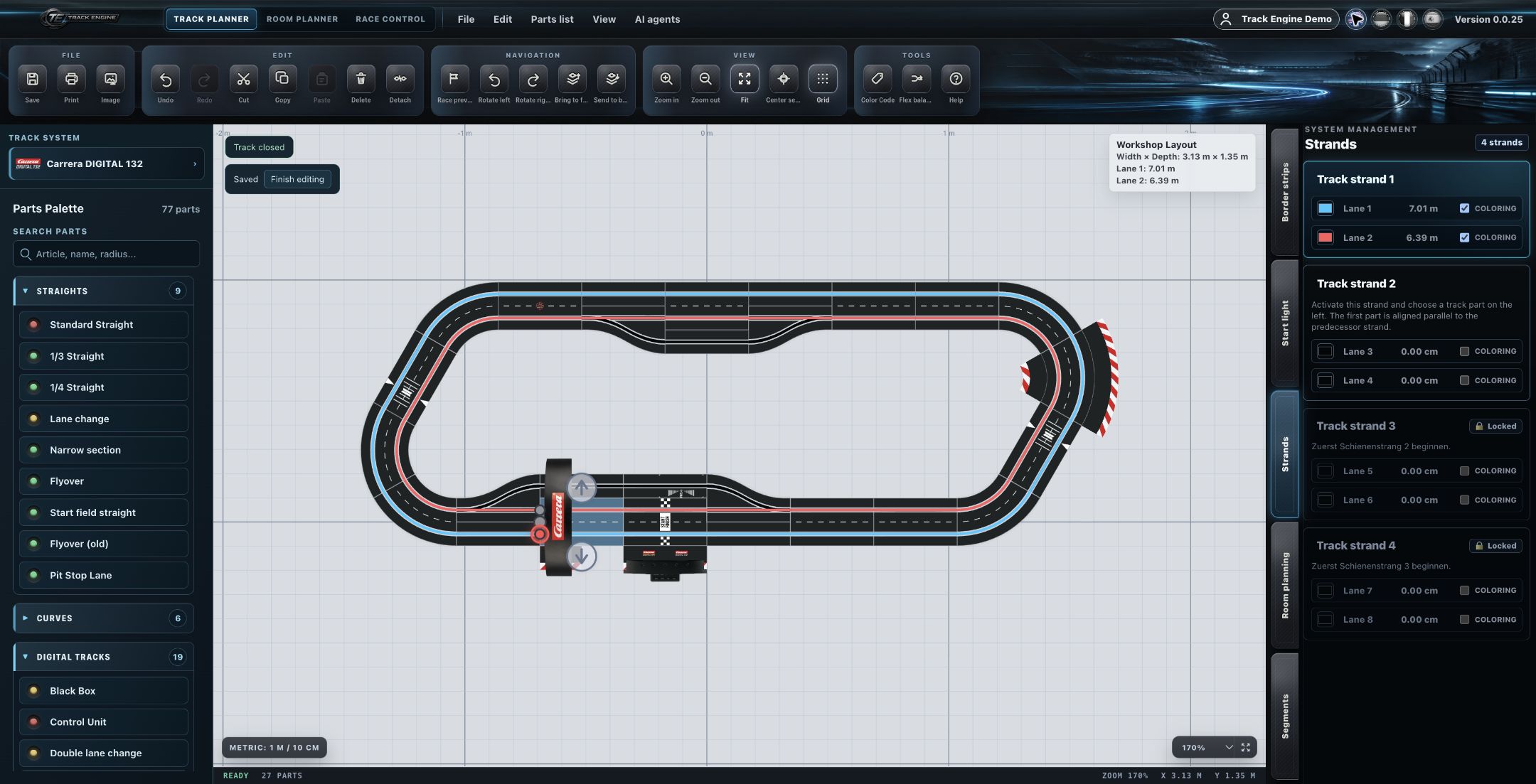
Predefined and custom colors
Curve radii use predefined colors. You can additionally assign your own colors — these are saved and persist when you reopen the layout.
A purely visual display aid
Color Coding is a visual display aid — it doesn't change the physical track topology. Curve radii use predefined colors; custom colors you assign are saved persistently.
Documentation gap
The exact default color values are intentionally not part of this knowledge base.
Related articles
Was this page helpful?